
How to Use SaleSmartly with PayPal: Streamline Payment Support and Boost Sales
Cross-border ecommerce thrives on two pillars: frictionless payments and instant customer communication. PayPal powers millions of secure transactions, while SaleSmartly unifies messages from WhatsApp, Facebook Messenger, email, and more into one AI‑driven inbox. When you bring them together, you create a system that not only accepts payments but also physically talks your customers through every step—before, during, and after the sale. This article shows you exactly how to connect SaleSmartly with PayPal, from webhook configuration to advanced automated workflows, so you can cut response times, recover abandoned carts, and handle payment issues in the customer’s own language.
Why Combine SaleSmartly with PayPal?

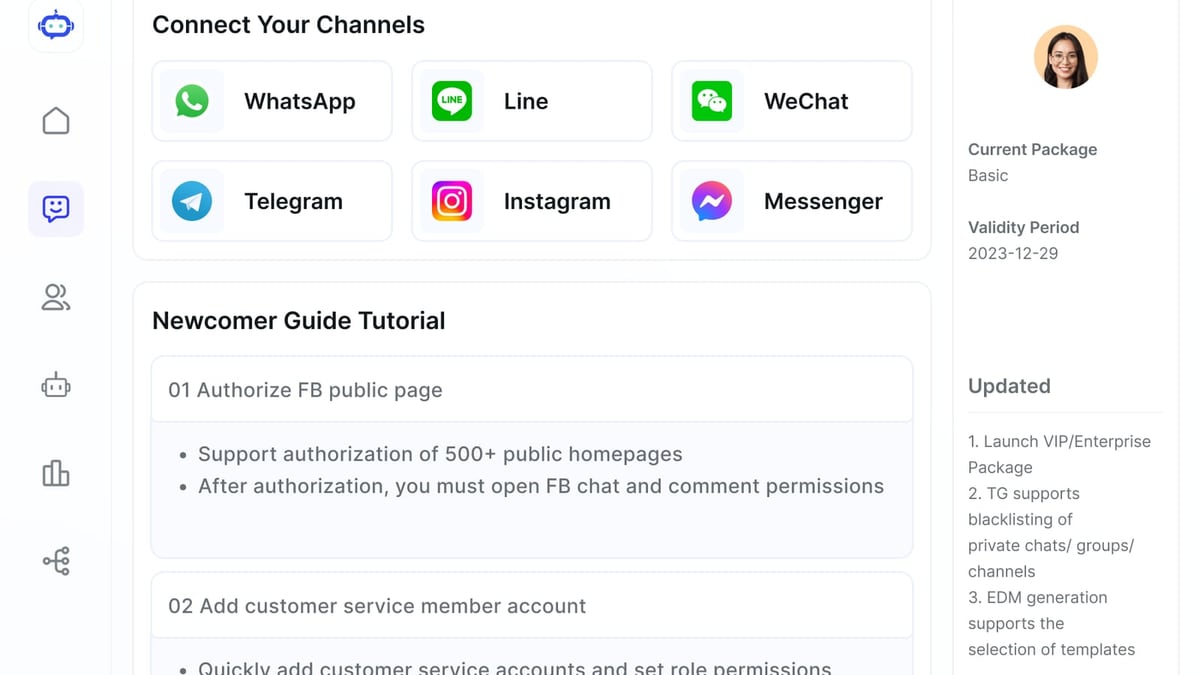
How to Use SaleSmartly with PayPal: A Complete Integration Guide product interface and feature overview.
The Cross‑Border Communication Gap
A buyer in Mexico asks via Instagram if you accept PayPal. An Australian customer wants an invoice in AUD. A German shopper disputes a double charge in broken English. PayPal gives you the payment tool; SaleSmartly gives you the team to handle those queries in 134 languages. Together, they let you manage the entire customer journey on the channels where your audience already lives.
Speeding Up Payment Follow‑Ups
Manual follow‑ups after a PayPal transaction are slow. With SaleSmartly’s automation, you can instantly send a “Payment received—thank you!” message on WhatsApp or Facebook Messenger the moment a PayPal webhook fires. You can also auto‑assign high‑value orders to senior agents, trigger a customer satisfaction survey, or prompt a review request.
Reducing Cart Abandonment
Cart recovery is more than an email campaign. If a customer abandons a checkout where PayPal is selected but not completed, SaleSmartly’s chatbot can send a personalized reminder via their preferred chat app within minutes, often with a direct payment link. That’s a warm, real‑time nudge that email can’t match.
Setting Up the Integration: A Step‑by‑Step Guide
How to Use SaleSmartly with PayPal: A Complete Integration Guide product interface and feature overview.
Prerequisites
- A SaleSmartly account with Administrator privileges
- A PayPal Business account with access to the Developer Dashboard
- Your website or app where SaleSmartly’s chat widget is installed
Step 1 — Create a PayPal Webhook Endpoint
Log into your PayPal Developer Dashboard, create a new REST API app, and obtain your client ID and secret. Under Webhooks, add a listener URL that points to your server. This URL will receive PayPal event notifications like PAYMENT.SALE.COMPLETED or CUSTOMER.DISPUTE.CREATED. You’ll later forward these events to SaleSmartly for processing. For detailed guidelines, see the SaleSmartly Help Center for integration best practices.
Step 2 — Configure SaleSmartly Automation for PayPal Events
Inside SaleSmartly, navigate to Automation → Trigger Rules. Create a new trigger that watches for a specific event payload sent from your server. For example, when a PAYMENT.SALE.COMPLETED webhook arrives:
- Action 1: Send a pre‑written message to the customer (matching by the PayPal payer email) via the channel they originally used, confirming the order and including a PDF invoice link.
- Action 2: Add a CRM note and a “High‑Value” tag if the transaction amount exceeds $200.
- Action 3: Notify an internal Slack channel or assign the conversation to the VIP support team.
Step 3 — Design a Payment‑Related AI Chatbot Flow
Use SaleSmartly’s visual bot builder to create a “Payment Helper” flow. The bot can answer FAQs like “Where is my refund?” or “Do you accept PayPal in my country?” without waiting for an agent. If the question is complex, it uses AI to understand the intent and seamlessly hands over to a live agent, complete with the customer’s PayPal transaction history pulled from your CRM.
Step 4 — Add a PayPal Payment Link Directly to SaleSmartly’s Chat Widget
In your widget settings, include a quick‑reply button labeled “Pay with PayPal”. When tapped, it opens a secure, one‑click invoice link generated by your ecommerce platform. This turns any customer conversation into a checkout opportunity without forcing them to leave the chat. If you’re running a WooCommerce store, our guide on how to use SaleSmartly with WooCommerce shows you how to attach product details and payment links automatically.
Step 5 — Test and Monitor
Simulate a PayPal transaction and watch the automation fire. Check the Analytics dashboard in SaleSmartly to see how many payment‑related conversations are resolved by the bot versus human agents, and tweak the flows accordingly.
Real‑World Workflow: How It Handles a Sales Transaction

How to Use SaleSmartly with PayPal: A Complete Integration Guide product interface and feature overview.
Imagine a customer in Japan browsing your Shopify store via Instagram. They initiate a chat through Messenger, asking about shipping costs. SaleSmartly’s AI agent instantly replies in Japanese, calculates the fee, and offers a “Pay with PayPal” button right in the chat. The customer completes the payment. Immediately, a thank‑you message appears in the same Messenger thread, and an automated “Shipped” notification will follow when the logistics API updates. The whole conversation is logged in SaleSmartly’s CRM, so if they ever come back with a dispute, your team has full context in one place.
Advanced Use Cases
Multilingual Payment Dispute Resolution
When a chargeback arrives, speed matters. SaleSmartly routes CUSTOMER.DISPUTE.CREATED PayPal events to a dedicated queue, translates the customer’s message in real time, and suggests pre‑approved responses based on the dispute reason. This keeps compliance tight even when your support team doesn’t speak the customer’s language.
Automating Refund Request Handling
Connect PayPal’s refund webhook to a SaleSmartly flow that immediately sends a “Refund processed” message and updates the CRM status. You can even trigger a follow‑up message with a small discount code a few days later to win the customer back.
Upselling with AI After Successful Payment
Right after a payment confirmation, SaleSmartly’s AI can recommend complementary products based on the purchase history stored in the customer profile. The recommendation appears as a chat suggestion that an agent can send with one click, increasing average order value without cold outreach.
Comparing SaleSmartly + PayPal with Direct PayPal Assistant
How to Use SaleSmartly with PayPal: A Complete Integration Guide product interface and feature overview.
PayPal offers its own AI‑powered assistant (learn more about PayPal Assistant) that can answer account questions and guide users through the PayPal interface. However, it operates strictly inside PayPal’s ecosystem. By contrast, pairing SaleSmartly with PayPal gives you:
- Unified omnichannel control — answer payment queries on Instagram, WhatsApp, Line, and more, not just inside PayPal’s app.
- Team collaboration — agents can leave notes, @mention colleagues, and escalate complex disputes.
- Full CRM integration — tie PayPal transactions to a customer’s chat history, tags, and browsing data for a 360‑degree view.
- No‑code automation — build sophisticated payment workflows without a developer.
If you’re evaluating live chat tools for cross‑border payment support, our SaleSmartly vs LiveChat vs tawk.to comparison breaks down which platform pairs best with a global payment stack.
Related reading
- SaleSmartly vs LiveChat vs tawk.to: Cross-Border Showdown - Compare SaleSmartly, LiveChat, and tawk.to on omnichannel reach, AI agents, and translation. Find the right live chat for cross-border customer engagement.
- Meta for Business Review 2026: Pros, Cons, and Verdict - Our in-depth Meta for Business review covers pricing, features, user feedback, setup steps, and decision criteria. See if Meta's ad platform fits your business in 2026.
- Shopify Review 2026: Pros, Cons, Pricing, and Verdict - In-depth Shopify review for 2026: explore pricing, features, ease of use, real user feedback, and ideal use cases. Decide if Shopify is right for your business.
Sources and further reading
- Systeme.io Growth Community (Official Group) | How to add PayPal Smart Button (no code checkout) in my sales funnel | Facebook - How to add PayPal Smart Button (no code checkout) in my sales funnel ?
Frequently Asked Questions
Can SaleSmartly process payments directly?
No, SaleSmartly is a communication platform. It never touches funds. It works alongside PayPal to manage interactions, trigger automated messages, and route payment‑related conversations. All sensitive card data stays inside PayPal’s secure infrastructure.
Does PayPal notify customers through SaleSmartly?
Not by default. You set up webhooks that your server receives from PayPal, then forward the relevant information to SaleSmartly’s API. SaleSmartly then uses that data to trigger messages, update CRM fields, or assign conversations.
Is this integration suitable for WooCommerce or Shopify stores?
Yes. SaleSmartly integrates with both WooCommerce and Shopify through plugins. Once connected, you can sync order data, automatically send PayPal payment links in chat, and track every stage of the purchase journey. For a complete WooCommerce‑specific walkthrough, see our How to Use SaleSmartly with WooCommerce guide.
Conclusion
Pairing SaleSmartly with PayPal isn’t about connecting two apps—it’s about building a real‑time, multilingual payment support layer that grows with your business. From the moment a customer asks “Do you take PayPal?” to the day you resolve their first refund, every interaction becomes trackable, automatable, and personalized. Set up the webhooks, design a smart bot, and let your team shine where it counts: in the conversation.