
Top 10 AI-Powered Team Collaboration and Work Management Platforms for 2026
AI has stopped being a bonus feature in collaboration software. In 2026, the question is not whether a platform has AI, but whether that AI actually removes coordination work: summarizing threads, drafting project plans, routing tasks, and surfacing risks before deadlines slip. This review ranks ten platforms that genuinely belong to the AI-powered team collaboration and work management category, explains how each one earns its place, and helps you match a tool to the way your team already works.
How We Evaluated These Platforms

Slack product interface.
We assessed each product against seven criteria, weighted toward practical team outcomes rather than marketing claims:
- Depth of AI capability: Does the platform use real language models, agents, or predictive analytics, or is it rule-based automation with an AI label?
- Collaboration surface: Does AI live where work happens — chat, documents, boards, meetings — or in a separate bolt-on tool?
- Work management coverage: Can it handle tasks, projects, goals, and reporting, or only one slice?
- Integration ecosystem: How many native connections exist, and how deep are they?
- Security and compliance: Are SOC 2, GDPR, and enterprise controls documented?
- Pricing transparency: Are plans published, with a usable free tier or trial?
- Evidence of adoption: Vendor-published research, third-party studies, or customer outcomes.
The Top 10 AI Collaboration and Work Management Platforms
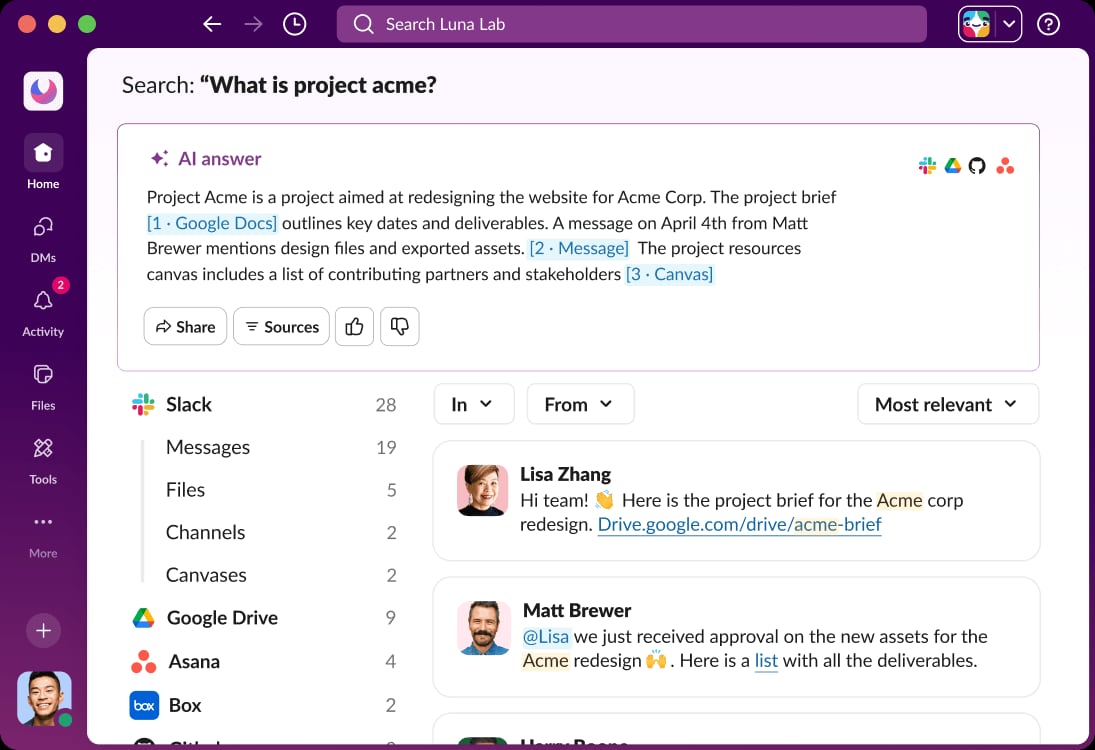
Slack UI displays an AI answer to a search query..
1. Slack
Category: AI work platform and communication hub
Slack positions itself as an AI work platform that connects people, apps, and AI agents in one place. Its core strength is channel-based messaging, huddles for audio and video, file sharing, and an app directory with more than 2,600 integrations. In 2026, the AI layer is the differentiator: Slackbot acts as a personalized, context-aware agent that produces conversation summaries, AI search results, daily recaps, and file summaries, and can generate workflows from natural language.
Slack has also expanded into adjacent surfaces — Slackforce Surfaces for turning data into action, Slackbot Skills for task automation, Slack Code for collaborative development with AI agents, and Slack CRM for conversational sales pipeline management. Third-party AI agents from companies like Claude can operate inside the workspace.
Evidence: Slack cites a Forrester study showing 338% ROI and $2.1 million in productivity savings over three years, with 85% of users reporting improved communication and 69% depending on Slack to get work done.
Best for: Teams with high-volume messaging that need AI summaries, search, and agent orchestration in the same place they talk.
Watch-outs: The free plan limits message history to 90 days and 10 apps; advanced security and compliance controls sit on paid tiers.
2. Notion
Category: Docs, knowledge, and lightweight project management
Notion combines documents, wikis, databases, and project tracking in one flexible workspace. Notion AI is embedded directly in pages and databases, so drafting, rewriting, summarizing, and extracting action items happen where content already lives. AI properties and templates enforce consistent documentation across large workspaces.
Evidence: Notion appears in multiple 2026 collaboration roundups as a leading docs-and-knowledge option, with reviewers noting its strength in centralizing team knowledge and reducing context switching.
Best for: Teams that treat documentation as their operating system and want AI assistance without leaving the page.
Watch-outs: Heavy AI use on very large workspaces can hit plan limits, and it is less suited to real-time voice or meeting capture.
3. ClickUp
Category: All-in-one work management
ClickUp bundles tasks, docs, goals, chat, and dashboards into a single workspace. ClickUp Brain answers questions across tasks and documents, generates content, and automates repetitive updates. Custom automations let teams build AI-assisted workflows without leaving the platform.
Evidence: ClickUp is consistently listed among the top AI project management tools in 2026 reviews, with Brain cited as its standout AI capability.
Best for: Teams with many moving parts that want one workspace instead of five.
Watch-outs: The breadth of features can overwhelm new users; some advanced AI capabilities require higher-tier plans.
4. Asana
Category: Work management with predictive AI
Asana Intelligence predicts project risks, suggests next steps, and automates smart workflows across tasks, goals, and portfolios. It is built for complex, cross-team project portfolios where dependencies and timelines matter.
Evidence: Asana AI appears in 2026 workflow automation comparisons as a full project management platform with enterprise-grade governance and a large integration ecosystem.
Best for: Organizations running multi-team programs that need risk prediction and goal tracking.
Watch-outs: No native real-time voice or video; meeting capture depends on integrations.
5. monday.com
Category: Customizable work operating system
monday.com lets teams generate boards and automations from prompts using its AI assistant. Dashboards and automations make it easy to build custom workflows quickly, and the platform scales from small teams to enterprise deployments.
Evidence: monday.com is regularly ranked in 2026 AI collaboration and workflow tool lists for its AI-assisted board generation and automation depth.
Best for: Teams that want to shape workflows around their own processes rather than adapt to a rigid structure.
Watch-outs: AI features are most valuable on paid plans; very complex automations may need admin oversight.
6. RingEX (RingCentral)
Category: AI-powered unified communications
RingEX consolidates phone, video, messaging, SMS, and fax into one app with hundreds of integrations. Its agentic voice AI spans the full conversation cycle: AIR handles call routing and intent capture, AVA assists during calls and meetings, and ACE converts conversations into structured summaries, action items, and sentiment patterns.
Evidence: RingCentral reports enterprise-grade infrastructure with 99.999% uptime and positions ACE as a way to reduce manual note-taking and rework.
Best for: Fast-growing teams that live on voice and meetings and want AI to capture decisions automatically.
Watch-outs: Task and project management is lightweight compared with dedicated work management platforms.
7. Zoom Workplace
Category: Meetings and communication with AI companion
Zoom Workplace pairs video meetings with an AI Companion that generates meeting summaries, action items, and next-step suggestions. It is a natural fit for hybrid teams whose collaboration centers on scheduled video calls and virtual workshops.
Evidence: Zoom Workplace is named in 2026 collaboration tool roundups for its AI meeting summaries and action-item capture.
Best for: Organizations standardized on Zoom for meetings that want AI notes without adding another tool.
Watch-outs: Work management and task tracking are limited; it works best alongside a dedicated project platform.
8. Miro
Category: Visual collaboration with AI
Miro's infinite whiteboard is a default canvas for product, design, and research teams. Miro AI clusters sticky notes, generates diagrams, and summarizes large boards, which speeds up affinity mapping and workshop synthesis.
Evidence: Miro is a fixture in 2026 AI collaboration lists, praised for AI that works natively on the board teams already use.
Best for: Workshops, research synthesis, and strategy sessions with heavy post-session cleanup.
Watch-outs: AI output still needs human review for nuanced decisions; very large boards can affect performance.
9. Otter.ai
Category: AI meeting notes and transcription
Otter.ai joins meetings as an AI assistant, producing real-time transcription, summaries, and action-item detection. It integrates with common work tools so notes flow into existing systems.
Evidence: Otter.ai appears in 2026 collaboration and workflow reviews as a dedicated meeting-notes specialist with privacy-forward security.
Best for: Teams that live in scheduled video calls and need searchable transcripts and follow-ups.
Watch-outs: No native project management; value depends on how well it connects to your task system.
10. Zapier
Category: AI workflow automation and integration
Zapier connects thousands of apps and now embeds AI into workflows through AI Actions, Copilot for natural-language automation building, and Canvas for visual mapping. It is less a collaboration hub than the connective tissue that makes other platforms work together.
Evidence: Zapier is included in 2026 AI workflow automation comparisons for its breadth of integrations and AI-assisted automation building.
Best for: Teams with an existing stack that need AI-powered glue between tools.
Watch-outs: It does not replace a collaboration or work management platform; it amplifies one.
How to Choose the Right Platform
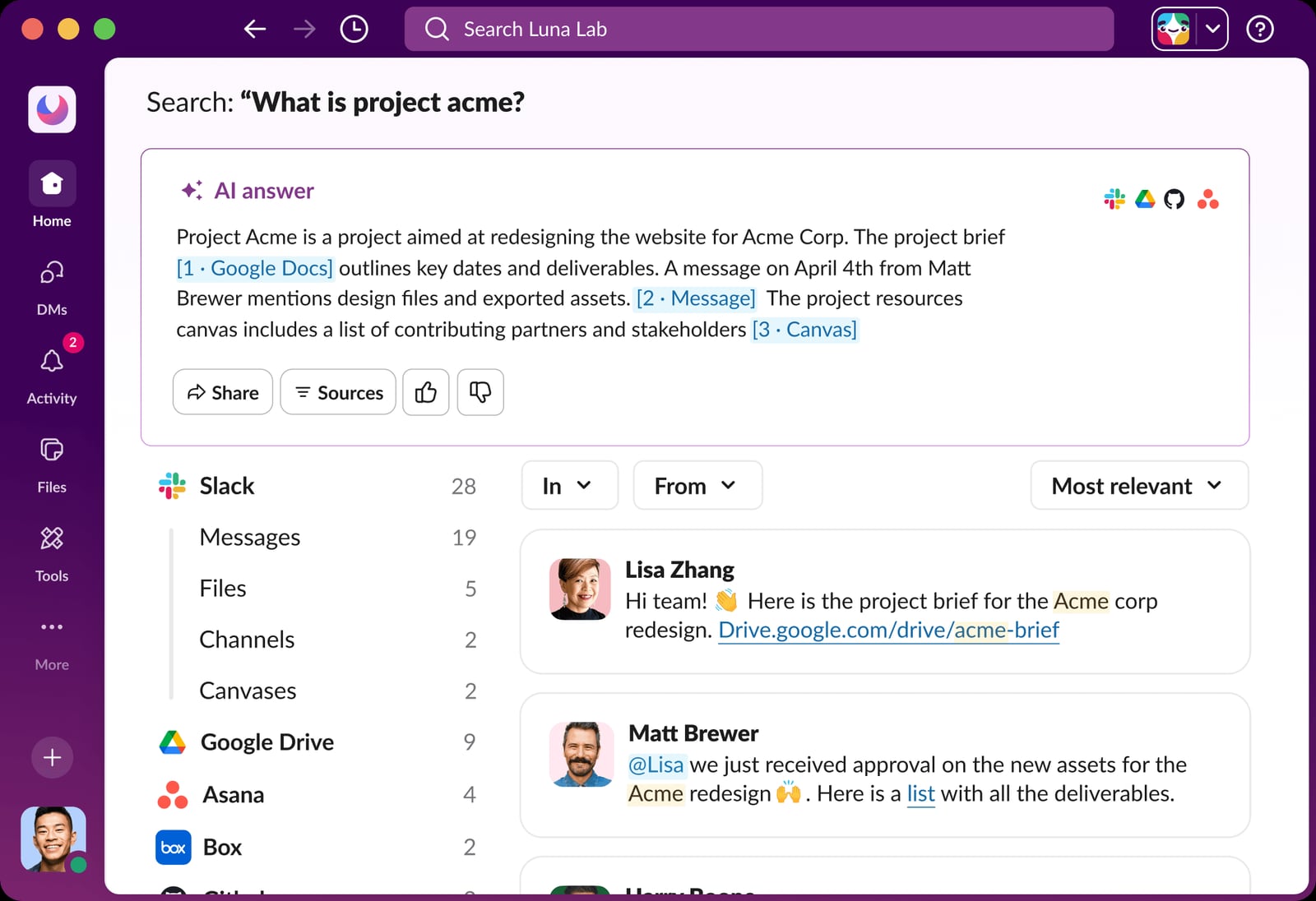
Slack UI displays an AI answer to a search query..
Start with where your team's work actually happens:
- If work happens in chat: Slack is the strongest fit, especially with its AI agents and 2,600+ integrations.
- If work happens in documents: Notion or Confluence-style knowledge tools lead.
- If work happens in projects and boards: ClickUp, Asana, and monday.com are the main contenders.
- If work happens in meetings: Zoom Workplace, Otter.ai, and RingEX capture decisions automatically.
- If work happens on a canvas: Miro is the visual collaboration default.
- If work happens across many tools: Zapier provides the automation layer.
A practical next step is to map your three most common coordination failures — missed follow-ups, lost context, duplicated updates — and test which platform's AI addresses them directly. Most vendors offer free tiers or trials, so run a two-week pilot with a real project before committing.
Where Customer-Facing Work Fits
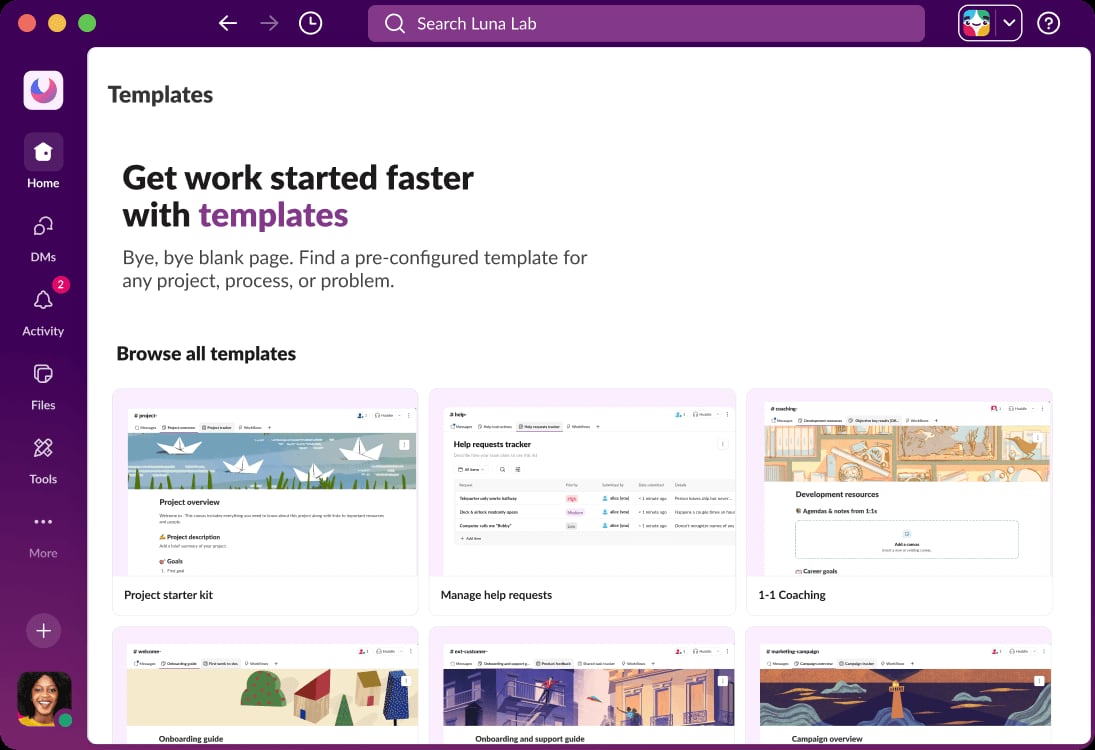
Slack UI shows various workflow templates..
AI-powered team collaboration platforms handle internal coordination well, but customer conversations often live in a different system. If your team manages high volumes of WhatsApp, Messenger, Instagram, or email inquiries alongside internal projects, an omnichannel customer communication platform can complement your collaboration stack. SaleSmartly, for example, centralizes messaging channels, adds AI agents and real-time translation, and includes a built-in CRM — a useful adjacent layer when customer-facing workflows need the same AI treatment as internal ones. For teams comparing options in that space, these comparisons may help: SaleSmartly vs HubSpot vs ChatMaxima and SaleSmartly vs Intercom vs DelightChat.
Related reading
- SaleSmartly vs HubSpot vs DelightChat: Which Fits You? - Compare SaleSmartly, HubSpot Customer Platform, and DelightChat on omnichannel reach, AI, pricing, and Shopify fit to pick the right tool.
- SaleSmartly vs ChatMaxima vs SleekFlow: Which AI Chat Platform Wins? - Compare SaleSmartly, ChatMaxima, and SleekFlow on AI agents, omnichannel reach, multilingual support, pricing, and cross-border fit. Find your best match.
- SaleSmartly vs Wati vs DelightChat: Which Platform Wins? - Compare SaleSmartly, Wati, and DelightChat on omnichannel reach, AI agents, WhatsApp depth, Shopify fit, multilingual support, and pricing. Find your best match.
Sources and further reading
- 10 Best AI Collaboration Tools for Teams in 2026 - Compare the 10 best AI collaboration tools of 2026 — AI memory, project management, and meeting AI — with features, pros, cons, and how to choose.
- Top 10 AI collaboration tools for fast-growing teams - Compare the best AI collaboration tools for team coordination. Discover how AI reduces meeting overload, context loss, manual follow-ups, and tool sprawl.
- AI Workflow Automation: 10 Best Tools Reviewed in 2026 - AI workflow automation uses AI to automate and optimize how work moves through your team. Compare the 10 best tools for 2026 with pricing and features.
Frequently Asked Questions
What is the best AI-powered team collaboration platform in 2026?
There is no single winner. Slack leads for chat-centric teams, Notion for documentation-heavy teams, ClickUp and Asana for project portfolios, and RingEX or Zoom Workplace for meeting-heavy organizations. The best choice depends on where your team's work already happens.
Do these platforms replace human project managers?
No. They automate summaries, routing, and risk detection, but human judgment is still required for prioritization, stakeholder management, and nuanced decisions. AI reduces administrative work; it does not replace accountability.
How much do AI collaboration platforms cost?
Pricing ranges from free tiers to enterprise quotes. Notion, ClickUp, Asana, and monday.com publish plans starting around $7–$11 per user per month. Slack offers a free plan with limits and paid tiers for advanced controls. RingEX and Zoom Workplace price per user with AI features on higher tiers.
Are AI features secure enough for enterprise use?
Most leading platforms document SOC 2, GDPR, and enterprise controls. Check whether your data is used for model training, what retention policies apply, and whether admin permissions and audits meet your compliance requirements.
Can I use more than one of these tools together?
Yes, and many teams do. A common pattern is Slack for communication, a work management platform for projects, and Zapier for automation between them. The goal is fewer context switches, not more tools.
Conclusion
The 2026 market rewards platforms that embed AI where collaboration already happens. Slack, Notion, ClickUp, Asana, and monday.com cover the core work management and communication needs; RingEX, Zoom Workplace, Otter.ai, and Miro specialize in meetings and visual collaboration; Zapier connects the stack. Evaluate against your real workflows, pilot with a live project, and choose the platform that removes the most coordination friction for your team.
For teams that also manage customer-facing messaging at scale, pairing an internal collaboration platform with an omnichannel communication tool like SaleSmartly can close the loop between internal work and external conversations.