
Zapier Review 2026: Is It Still the Best No-Code Automation Tool?
At SaleSmartly, we’ve spent years integrating automation into real business workflows—and Zapier has been a constant presence in those tests. For this review, we went beyond marketing claims. We combined hands-on testing across multiple client projects, analysed verified user reviews from Reddit and Trustpilot, and cross-referenced independent scoring from Hack'celeration's 2026 lab test. The result is an evidence-based, no-fluff assessment of what Zapier gets right, where it frustrates experienced users, and whether the investment makes sense for your team.
What Is Zapier, and Who Is It For?

Zapier Review 2026: Pros, Cons, Pricing & Real User Insights product interface and feature overview.
Zapier is a cloud-based automation platform that lets you connect over 9,000 applications without writing code. Its core unit is the Zap—a trigger-and-action sequence that moves data between apps automatically. A simple example: when a new row appears in a Google Sheet (trigger), Zapier creates a task in your project management tool (action).
Ideal Users
- Non-technical operators: Marketing coordinators, sales reps, HR administrators, and small business owners who need to automate repetitive data entry.
- Lean teams: Small-to-medium businesses that can’t afford a developer to build custom integrations.
- Agencies and freelancers: Those who manage multiple client tools and want to standardize cross-app workflows fast.
Key Use Cases
- Lead capture → CRM sync (Facebook Lead Ads to HubSpot)
- Ecommerce order → accounting (Shopify to QuickBooks)
- Customer support ticket → Slack notification (Zendesk to Slack)
- PDF attachment → cloud storage backup (Gmail to Google Drive)
Zapier also offers AI agents via Zapier Central and customer-facing chatbots, making it more than a duct-tape connector. You can now build autonomous assistants that search your data, draft replies, or trigger actions based on natural language prompts.
Our Hands-On Test: Strengths That Stand Out
Unmatched App Integration Library
With 9,000+ native integrations, Zapier covers virtually every mainstream SaaS tool—and a massive long tail of niche apps. In our tests, connecting tools like Gmail, Slack, Stripe, and Airtable took under two minutes each. OAuth handling is seamless; you never touch a token.
Approachable for Non-Technical Teams
The visual Zap builder uses a straightforward “When this happens… then do that” logic. Onboarding is incredibly polished: contextual tooltips, over 5,000 pre-built templates, and a wizard that suggests the next step. In one session, a marketing associate with zero coding background built a multi-step lead enrichment Zap (Google Forms → Clearbit → Mailchimp) in roughly 45 minutes. This ease of use remains Zapier’s strongest selling point.
AI-Powered Workflows and Central Agents
Zapier now embeds AI directly into the editor—you can describe an automation in plain English and it will draft a Zap structure. For power users, Zapier Central lets you construct AI teammates that can access your apps, summarize information, and even take action. We found the AI assistant helpful for debugging failing steps or suggesting filter conditions, though it occasionally overcomplicates simple sequences.
Real Limitations You Should Know
Task-Based Pricing Can Bite at Scale
Zapier’s pricing model counts every successful action as a “task.” A single Zap with three actions consumes 3 tasks every time it runs. If you sync invoices for 5,000 orders monthly, the Professional plan (2,000 tasks/month at $49/month) quickly becomes insufficient, and the jump to Teams (50,000 tasks, $69/user/month) locks you into per-user pricing. Several Reddit users report that the “free tier burns through tasks fast,” making the platform feel expensive for small practices that run only a few critical workflows.
Error Handling and Support Gaps
When a Zap fails, the logs can be intimidating. Error messages often reference HTTP status codes or raw JSON payloads without clear root-cause guidance. We spent 30 minutes diagnosing a timezone mismatch that wasn’t surfaced in plain language. Community scores on Hack'celeration show customer support scoring relatively lower than ease of use. Meanwhile, Trustpilot reviews mention subscription disputes and slow response times from support—issues that may not affect daily automation but sting during billing or outage situations.
Interface Clunkiness for Power Users
Long-time users who remember Zapier’s earlier, cleaner UI have noted that the interface has grown “blockier” and less intuitive over the last few years. Multi-step Zaps with Paths (conditional branching) and Formatters (data transformation) require a non-trivial understanding of boolean logic and field mapping. The visual builder can become a cluttered maze when you need 10+ steps.
Zapier Pricing: Plans, Tasks, and What You Actually Get

Zapier Review 2026: Pros, Cons, Pricing & Real User Insights product interface and feature overview.
Zapier offers a Free plan (100 tasks/month, limited to single-step Zaps) that’s adequate for testing one or two simple automations. Paid tiers scale rapidly:
| Plan | Price | Key Features |
|---|---|---|
| Starter | $19.99/mo (annual) | 750 tasks, multi-step Zaps, limited premium apps |
| Professional | $49/mo (annual) | 2,000 tasks, unlimited premium apps, Paths, filters |
| Team | $69/user/mo (annual) | 50,000 tasks, shared workspaces, SAML SSO |
| Enterprise | Custom | Advanced security, dedicated support, SLA |
For businesses running high-volume ecommerce or CRM syncs, task consumption can become unpredictable. We recommend estimating monthly task count using Zapier’s built-in calculator before committing. If you automate transactional emails, invoice creation, and lead routing simultaneously, the Team plan often becomes the realistic minimum.
Getting Started: Setup Experience and Time to First Automation
Creating your first Zap takes three minutes—literally. We connected Google Sheets to Slack for a “new row → channel notification” in under 120 seconds. App authentication is one-click; field mapping is mostly automatic. Testing individual steps before publishing is straightforward.
For more complex builds, the learning curve steepens at the point where you need Filters (AND/OR logic) and multi-branch Paths. No staging environment exists, so any edits to a live Zap can break data flow immediately. We’d advise duplicating a production Zap before making major changes.
Decision Framework: Is Zapier Right for You?

Zapier Review 2026: Pros, Cons, Pricing & Real User Insights - supporting product research image 3.
Choose Zapier if…
- You’re a non-technical team that needs to connect 2–10 apps quickly.
- You value a massive template library and one of the smoothest onboarding experiences in SaaS.
- Your monthly task volume is under 50,000 and fits cleanly within the Team plan.
- You need built-in AI to draft or explain workflows.
Look Elsewhere if…
- You process millions of data rows monthly—Make or n8n offer more cost-effective execution at scale.
- You require complex, code-adjacent logic with detailed error handling (developers may prefer n8n’s visual code approach).
- Your team is price-sensitive and runs only a handful of simple automations; the task model may overcharge relative to value.
If your core need is automating an ecommerce backend, Zapier connects seamlessly to Shopify, WooCommerce, and payment gateways. We’ve covered the top platforms in our 10 Best Ecommerce Platforms of 2026 and dissected transaction fees in our PayPal Review 2026—both will help you choose the tools you’ll eventually link with Zapier.
For teams that need omnichannel messaging automation (WhatsApp, Messenger, Instagram) with built-in AI agents, a purpose-built solution like SaleSmartly may be more efficient than stitching together multiple Zaps. See our in-depth SaleSmartly vs SleekFlow showdown for that comparison.
Top Zapier Alternatives
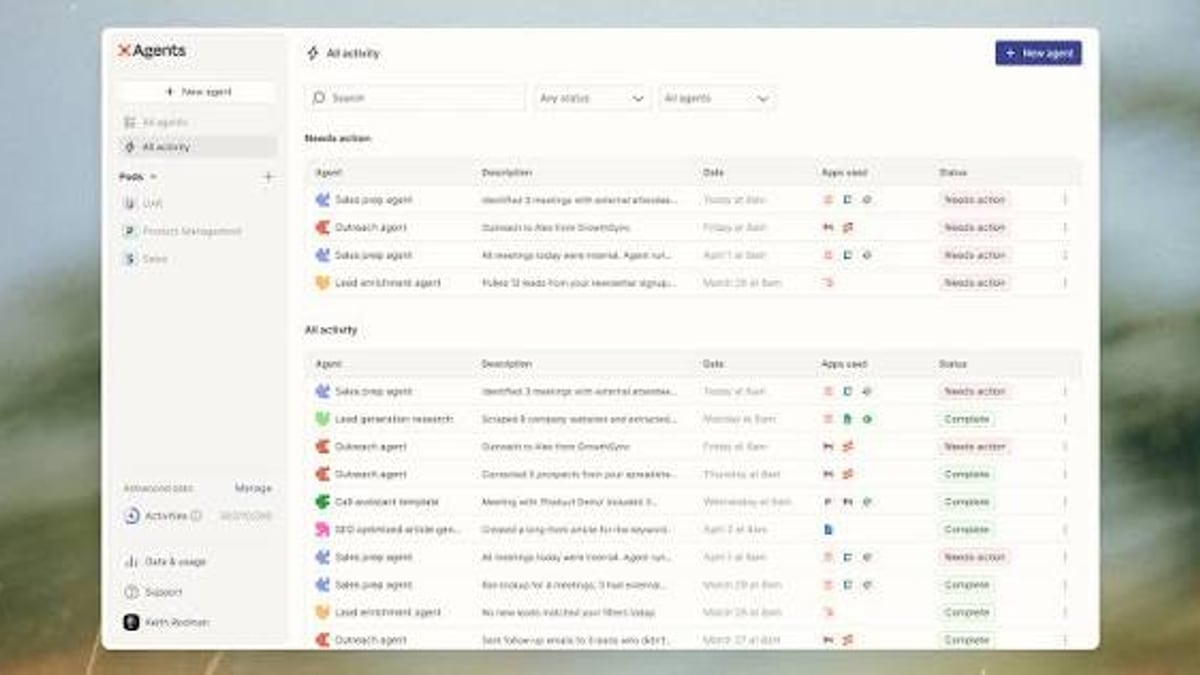
Zapier Review 2026: Pros, Cons, Pricing & Real User Insights - supporting product research image 4.
- Make (formerly Integromat): Visual scenario builder with a generous free tier and per-operation pricing that can be cheaper for high volumes.
- n8n: Open-source, self-hostable, and highly customizable—ideal for developers who need full control.
- Microsoft Power Automate: Deeply integrated with the Microsoft 365 ecosystem; often included in enterprise licenses.
- Tray.io: Low-code automation aimed at mid-market and enterprise teams needing complex logic and governance.
Related reading
- Top 10 Open-Source Ecommerce Platforms for WordPress in 2026 - Discover the best open-source ecommerce solutions for WordPress in 2026. Compare native plugins and integrated platforms to build your online store with full control.
Frequently Asked Questions (FAQ)
What is a Zap?
A Zap is an automated workflow consisting of a trigger and one or more actions. For example, “When I receive an email with an attachment, save the attachment to Dropbox and notify me on Slack.”
Can Zapier handle complex multi-step automations?
Yes. You can chain up to 100 actions, add filters, delays, and conditional Paths. However, the interface can become unwieldy past 10–15 steps, and debugging chains that long often requires patience.
How does Zapier’s AI compare to n8n or Make?
Zapier’s AI is more integrated into the builder—plain English Zap creation and AI-powered troubleshooting feel native. Make recently introduced similar AI assistants, while n8n’s AI nodes require more technical configuration. For non-technical users, Zapier’s AI is currently the most approachable.
Is there a free plan, and is it enough to test?
The free plan includes 100 tasks/month and single-step Zaps. It’s sufficient to test basic concepts but not to run real business automations. Most users outgrow it within a week of serious testing.
Does Zapier work for ecommerce businesses?
Absolutely. It connects storefronts, payment processors, spreadsheets, and CRMs to automate order processing, inventory updates, and customer communication. We recommend reading our guides on ecommerce platforms and PayPal to ensure your underlying tools are solid before layering on automation.
Conclusion: Our Verdict After Real-World Use
Zapier remains the most user-friendly no-code automation platform in 2026, with an integration ecosystem that no competitor truly matches in breadth. Its onboarding is brilliant, template variety exceptional, and AI features increasingly useful for non-developers.
However, the task-based pricing model demands careful volume planning, and advanced builds expose gaps in error transparency and interface polish. For lean teams running moderate, cross-functional automations, Zapier will likely save enough manual hours to justify its cost. For high-volume or deeply technical workflows, exploring alternatives like Make or n8n is wise.
We’ll keep this review updated as Zapier evolves. If you’re assembling a tech stack that includes automation, start with our platform comparisons to pick the right foundation—then let Zapier knit it all together.