
How to Use SaleSmartly with Mailchimp: A Practical 2025 Guide
When customer conversations happen across WhatsApp, Facebook Messenger, Instagram, live chat, and email, keeping every interaction human and relevant becomes the real challenge. SaleSmartly unifies those channels into a single AI‑powered inbox. Mailchimp excels at automated email campaigns that nurture leads and retain customers. Used together, you bridge the gap between real‑time conversations and intelligent email follow‑ups, creating a seamless loop that boosts conversions without extra manual work.
This guide shows you exactly how to make SaleSmartly and Mailchimp work side by side. You’ll get a clear workflow, setup steps using no‑code connectors, practical examples for ecommerce and B2B, and answers to common questions — all built around what cross‑border teams actually need.
Why Combine SaleSmartly and Mailchimp?

How to Use SaleSmartly with Mailchimp: A Practical 2025 Guide product interface and feature overview.
Most support teams toggling between a live chat tool and a separate email platform lose context. A lead might ask a detailed question on Instagram, receive a helpful reply, yet disappear because no email ever followed up to remind them of the product. Or a customer who complained via Telegram might not get a targeted win‑back offer, because the support team never passed the intent signal to marketing.
SaleSmartly + Mailchimp solve this. The core strength is intent‑aware automation: when a conversation in any channel reveals a buying signal — a specific question, a pricing request, a positive sentiment — SaleSmartly can tag and transfer that signal to Mailchimp. Mailchimp then drops the prospect into the right email sequence, sends the relevant content, or triggers a personalised offer. Meanwhile, SaleSmartly continues to manage the 1:1 conversation if the customer replies again.
The combination excels for:
- Cross‑border ecommerce — handle inquiries in 134 languages in SaleSmartly, then follow up with Mailchimp’s high‑deliverability emails in the customer’s language and timezone.
- B2B lead nurturing — capture demo requests from website chat, WhatsApp, or WeChat, automatically add them to a Mailchimp editorial sequence, and let the sales team pick up once the lead is warm.
- Customer retention — detect churn signals (e.g., a complaint on Facebook) and trigger a Mailchimp re‑engagement campaign with a discount, all without copying data manually.
SaleSmartly’s omnichannel AI already handles the front‑line communication. When you plug in Mailchimp’s sales automation capabilities, you turn every chat into a lead that gets followed up intelligently.
The Core Workflow: From Real‑Time Chat to Automated Email
How to Use SaleSmartly with Mailchimp: A Practical 2025 Guide product interface and feature overview.
A typical journey using both platforms looks like this:
- Customer interaction — A shopper messages your brand on Instagram asking about sizing for a cross‑border shipment. SaleSmartly’s AI agent or a human agent answers instantly, using real‑time translation if needed.
- Behaviour tagging — During the chat, SaleSmartly automatically (or manually) applies a tag like “size question – interested” and captures the customer’s email address, phone number, and country.
- Trigger to Mailchimp — Using a no‑code automation layer (Zapier, Make, or API), the contact details, tag, and conversation summary flow into Mailchimp. The subscriber is added to a designated list or updates an existing profile.
- Personalised email sequence — Mailchimp receives the tag and immediately enrolls the person in an automation. For example, a “size question” tag triggers an email with a sizing chart, a video of the product in use, and a limited‑time free‑shipping code.
- Full‑circle follow‑up — If the customer replies to the email or returns to live chat, SaleSmartly surfaces the entire history, so the agent knows the email was sent and can continue the conversation naturally.
This flow eliminates the “hand‑off leak” between support and marketing, making sure no qualified prospect slips away just because nobody remembered to email them.
Step‑by‑Step Setup Guide (No‑Code Method)
How to Use SaleSmartly with Mailchimp: A Practical 2025 Guide product interface and feature overview.
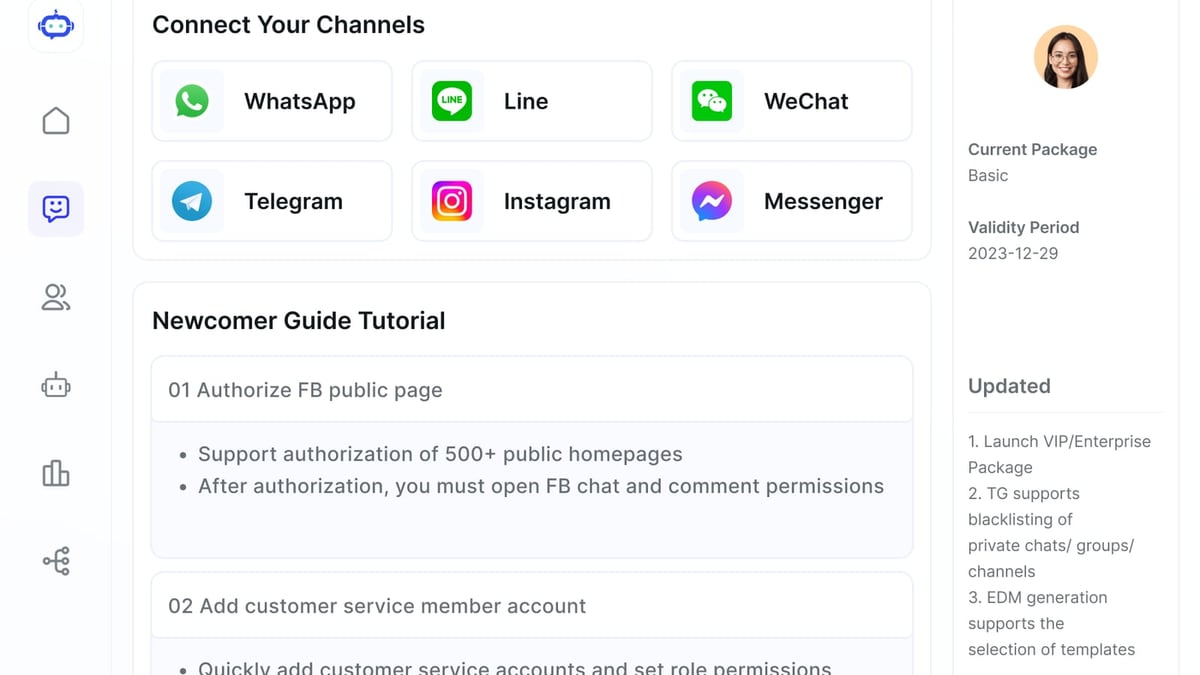
SaleSmartly does not currently offer a native plug‑and‑play Mailchimp integration, but you can connect the two in minutes with a middleware tool like Zapier. Here’s the most direct path.
1. Prepare Your Mailchimp Audience
- Log into Mailchimp and create a new Audience (list) specifically for leads coming from SaleSmartly. For instance, name it “SaleSmartly Chat Leads”.
- Add custom merge fields (e.g., “Chat Channel”, “Inquiry Topic”, “Order ID”) so you can personalise emails later. You’ll find this under Audience > Settings > Audience fields and |MERGE| tags.
2. Create a Trigger in SaleSmartly
SaleSmartly’s automation module lets you fire webhooks or expose events that Zapier can listen to. A reliable trigger is “When a contact is tagged with a specific label”.
- In SaleSmartly, go to Automation → Scenarios and create a new rule: If tag added = “interested – email capture” then send to webhook URL. (You’ll point this to a Zapier webhook later.)
- Alternatively, if you use the SaleSmartly CRM’s “Contact Form Submitted” event, you can trigger on that.
3. Build the Zapier Bridge
- Create a new Zap in Zapier. Choose Webhooks by Zapier as the trigger app and select “Catch Hook”. Copy the webhook URL.
- Paste that URL into the SaleSmartly webhook action you set earlier. Test it by applying the tag to a sample contact in SaleSmartly. Zapier should catch the payload with the contact’s name, email, tags, and channel.
- Add an action step: choose Mailchimp as the app and select the event “Add/Update Subscriber”. Connect your Mailchimp account.
- Map the fields: email → Email, first name → First Name, tags → a merge field (or use them to determine which Mailchimp group/tag to assign). You can map the chat channel into a custom field.
- Turn on the Zap. Now every time SaleSmartly tags a contact with “interested – email capture”, the contact is synced to Mailchimp instantly.
4. Build Triggered Email Automations in Mailchimp
- Go to Mailchimp’s Automations and create a Welcome or Classic Automation that starts when a subscriber is added to your specific list or when a specific field equals a certain value.
- Design your email or sequence. Use conditional logic: e.g., if merge field “Chat Channel” = “Instagram”, include a link to an Instagram‑exclusive landing page. Use Mailchimp’s AI‑assisted content generator to draft a quick variant in the customer’s language.
- Activate the automation. Monitor performance using Mailchimp’s Analytics AI to see which chat‑originated leads convert best.
For larger operations, you can replace Zapier with SaleSmartly’s open API and a custom middleware, but the no‑code approach covers the majority of use cases.
If you’re also weaving in payment notifications, read our detailed walkthrough on how to use SaleSmartly with PayPal for a similar integration model.
Practical Examples

How to Use SaleSmartly with Mailchimp: A Practical 2025 Guide product interface and feature overview.
Ecommerce: Instagram Inquiry to Email Order Confirmation
A boutique jewellery brand using SaleSmartly for Instagram DMs and WhatsApp, and Mailchimp for post‑purchase flows.
- A customer messages on Instagram: “Do you ship to Germany and how long does it take?”
- The agent answers with shipping times and, through SaleSmartly’s quick‑reply menu, tags the conversation “shipping inquiry – DE”.
- Zapier pushes the email address (collected during the chat via a quick form link) and tag into Mailchimp.
- Mailchimp automatically sends an email with a shipping FAQ, customer reviews from German buyers, and a 5% first‑order coupon. The email includes a tracked link that, when clicked, tags the subscriber as “engaged” in SaleSmartly via a reverse webhook.
- If the customer makes a purchase later, SaleSmartly’s email integration (for order confirmations) can feed the status into Mailchimp for a seamless post‑purchase flow.
B2B: Website Chat to Demo Nurture Sequence
A SaaS company serving logistics firms uses SaleSmartly’s website chat and WhatsApp, and Mailchimp for B2B lead nurturing.
- A visitor on the pricing page starts a chat. The AI agent qualifies the lead by asking company name, role, and pain point. If the lead requests a demo, SaleSmartly automatically tags “demo‑request” and stores the details.
- The Zapier integration sends the contact to a Mailchimp audience named “B2B Propects”, and a “/demo‑request” tag.
- A Mailchimp automation triggers: email 1 (immediate) – “Your demo is booked” with a calendar link; email 2 (+2 days) – a case study relevant to the company size; email 3 (+5 days) – a personalised invitation from a sales rep to hop on a call.
- When the prospect later starts a new WhatsApp conversation, SaleSmartly shows the full email engagement log, letting the rep pick up where the automation left off.
Mailchimp’s guide to sales prospecting can help you fine‑tune the email part of this funnel.
Automating Sales and Support with AI
SaleSmartly’s AI agent can handle first‑line queries autonomously, freeing your team for high‑value conversations. By integrating it with Mailchimp’s AI‑powered email builder and send‑time optimisation, you create a revenue engine that learns over time.
- Lead qualification at scale — The SaleSmartly AI can ask a short set of qualifying questions on any channel, then assign a lead score. High‑scoring contacts are zapped to Mailchimp for an accelerated warm‑up sequence, while low‑priority ones receive a slower educational drip.
- Personalised follow‑ups in 134 languages — SaleSmartly’s real‑time translation ensures the conversation itself is understood. Mailchimp’s content generator can produce email variants in the customer’s language, so the entire journey feels local.
- Sophisticated retargeting — If a subscriber doesn’t open the first Mailchimp email, SaleSmartly can detect a “no‑response” condition (via webhooks from Mailchimp) and proactively send a WhatsApp or Telegram gentle reminder — a multi‑channel nudge that is far more effective than a second email alone.
Because SaleSmartly is purpose‑built for cross‑border engagement, the AI + email combo works especially well for brands that juggle multiple time zones and languages. For a deeper look at how SaleSmartly stacks up against other multi‑channel tools, check our SaleSmartly vs LiveChat vs tawk.to comparison.
Overcoming Common Challenges
Data consistency – If you update an email address in SaleSmartly, the change must reflect in Mailchimp. Use the “Add/Update Subscriber” action (not just “Add”) and always map a unique identifier (like a customer ID) to avoid duplicates. For high‑volume shops, consider a scheduled daily sync via API.
Over‑automation – Too many emails triggered by minor chat tags can annoy customers. Use delayed triggers and merge conditions: e.g., only send the coupon email if the subscriber hasn’t opened a marketing email in the last 7 days. Lean on Mailchimp’s engagement data to pause sequences for contacts who go cold.
Personalisation at scale – The combination produces a lot of data. Use SaleSmartly’s CRM to build rich customer profiles (tags, browsing history, previous chats) and pass only relevant fields to Mailchimp. That way, each email can reference the exact product they asked about, the channel they used, and the agent’s name. Authenticity doesn’t disappear with automation.
Compliance – Both platforms support GDPR and CCPA features, but you must ensure that the consent captured in SaleSmartly (e.g., a WhatsApp opt‑in) flows into Mailchimp as a marketing permission. Map the consent flag to Mailchimp’s GDPR fields. Check your local regulations to avoid mis‑steps.
Related reading
- SaleSmartly vs Tidio vs LiveChat: 2025 Comparison Guide - Compare SaleSmartly, Tidio, and LiveChat on AI, omnichannel coverage, translation, and pricing. Find which live chat platform fits cross-border, ecommerce, or enterprise.
- Ringly Review 2026: AI Phone Support for Shopify Brands - We tested Ringly’s AI phone support for Shopify. Explore features, real resolution rates, setup steps, pricing signals, and whether it fits your brand.
- Slack Review 2026: AI Features, Pricing & Honest Verdict - In-depth Slack review 2026: AI summaries, huddles, pricing plans, and real user feedback. Discover strengths, limits, and how Slack compares to rivals.
Sources and further reading
- Mailchimp for B2B Sales: Automations, Forms, and CRM Integration - Learn how to use Mailchimp for sales: set up automations, build sales web forms, share PDFs via file links, and connect to your CRM.
Frequently Asked Questions
Can I integrate SaleSmartly and Mailchimp without writing code?
Yes. Using middleware like Zapier or Make, you can set up a reliable, two‑way connection with no coding required. The steps in this guide rely on webhooks and field mapping — no developer needed for basic syncs.
What data can I pass from SaleSmartly to Mailchimp?
You can transfer any contact information captured during a chat: name, email, phone number, country, language, custom tags, conversation summaries, assigned agent, and even channel source. Mailchimp’s custom merge fields let you store all of this for segmentation and personalisation.
How does this combination help cross‑border ecommerce businesses?
SaleSmartly unifies chats in 16+ messaging channels with real‑time translation, while Mailchimp sends localised, optimised emails at scale. Together, they ensure that a shopper in Brazil chatting on Instagram receives the same consistent, tailored experience in Portuguese via email as they would from a local agent — all automated.
Do I need a paid plan on both platforms?
The core integration works on any SaleSmartly plan that includes webhooks or API access, and any Mailchimp plan, including the free tier (with limitations on automations). However, advanced features like multi‑step sequences, custom merge fields, and Mailchimp’s API are often on paid tiers. Start free to test, then scale as your volume grows.
Next Steps for Smarter Customer Journeys
Bringing SaleSmartly and Mailchimp together transforms a fragmented support‑marketing loop into a single, intelligent engine. You stop losing leads between channels and start converting more chats into loyal customers. Once you’ve set up the data bridge, experiment with advanced scenarios — like reverse‑triggering a SaleSmartly message when a Mailchimp email goes unopened — to keep the conversation alive wherever your customers prefer.
For more guidance on building hyper‑automated customer journeys, explore SaleSmartly’ growing library of platform reviews and integration playbooks. With the right tools connected, every interaction becomes an opportunity to grow.