
Slack Review 2026: AI Features, Pricing & Honest Verdict
Slack has long been the poster child for modern team communication. But in 2026, with AI taking center stage and a flood of new alternatives, the question is: does Slack still earn its keep? I've spent weeks testing the latest version—digging into its AI-powered summaries, Huddles, Canvases, and pricing tiers—and I’ve also combed through independent user reviews, expert analyses, and competitor feedback to paint a complete, evidence-based picture. This review is for anyone evaluating whether Slack is the right hub for their organization, not just a glorified chat app.
Who Should Use Slack?
Slack Review 2026: AI Features, Pricing & Honest Verdict - supporting product research image 1.
Slack isn’t a one-size-fits-all tool. It’s built for teams that crave structure, transparency, and deep integrations. In my testing, the platform shines for:
- Mid-sized to large enterprises that rely on cross-department coordination, a searchable knowledge base, and automated workflows.
- Remote and hybrid teams that need async communication options like Clips and AI recaps to reduce meeting overload.
- Companies heavily invested in app ecosystems (Salesforce, Google Workspace, Jira, etc.) that want a central command center.
- External collaboration with agencies, vendors, or clients via Slack Connect.
If you’re a solo entrepreneur or a tiny team on a strict budget, some of Slack’s best features sit behind a paywall, and a simpler alternative might work better. We’ll cover that in the decision guide later.
Slack’s Core Features and What’s New in 2026
Slack Review 2026: AI Features, Pricing & Honest Verdict - supporting product research image 2.
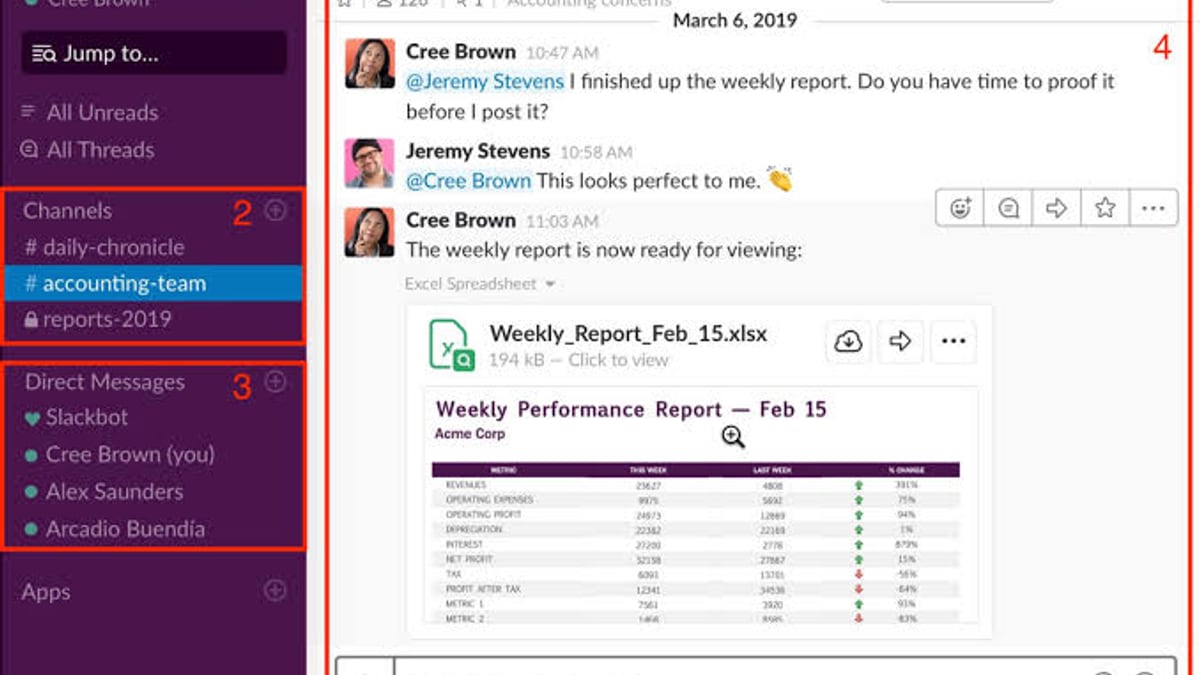
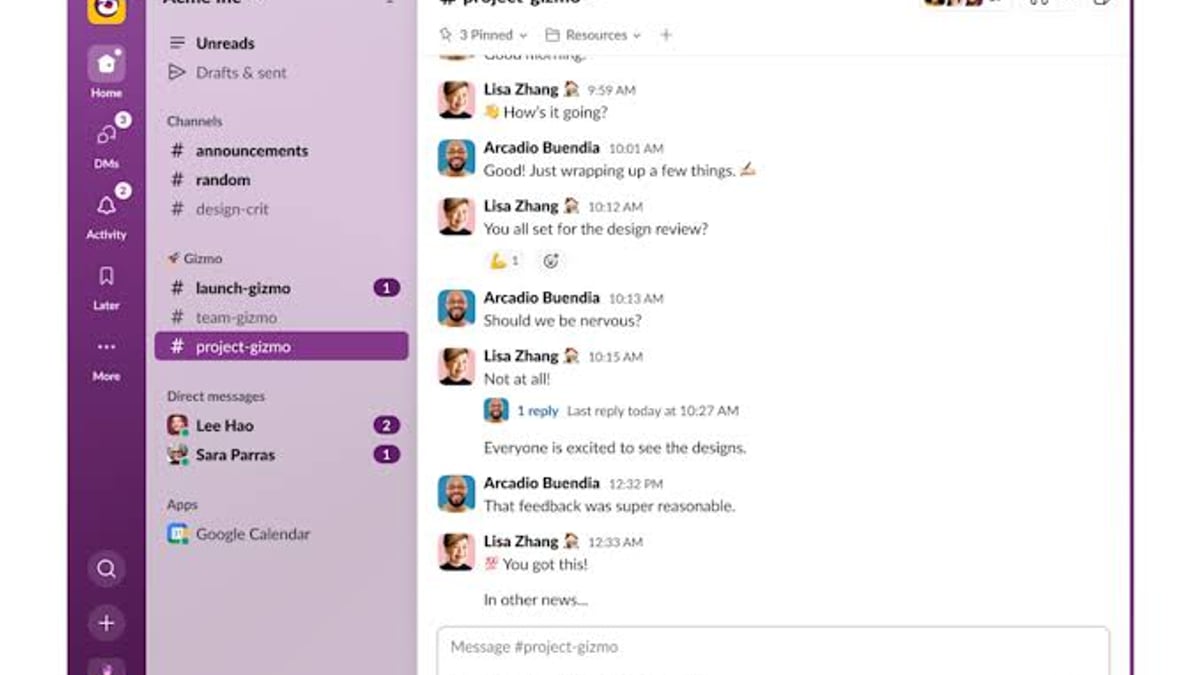
Slack’s core remains the same: organized channels for topics, direct messages, and threads that prevent conversation chaos. But what makes the 2026 version stand out is how AI has been woven into daily workflows:
- AI Summaries and Daily Digests: Click one button and get a concise recap of a long thread or channel activity. With the Business+ plan, you can even ask natural language questions like “What decisions were made about the Q3 launch?” and receive accurate answers drawn from conversation history.
- Huddles: Ad-hoc audio and video meetings that launch instantly. I found the quality crisp and the ability to share screens or turn on video mid-call seamless. Internal data from Slack suggests teams using Huddles report a 37% increase in productivity.
- Clips: Async video or screen recordings. These reduced scheduled meetings by 51% in Slack’s own studies, and they’re perfect for status updates that don’t require a live audience.
- Canvases: A persistent, collaborative surface inside channels for long-form content, project briefs, and meeting notes. They are handy but have notable limitations (more on that below).
- Workflow Automation: No-code builders that let you turn repetitive tasks—like onboarding messages or approval requests—into automated steps, now with AI suggested workflows from conversations.
- Slack Connect: Brings external partners into a dedicated channel. Companies using Connect have reportedly seen 4x faster deal cycles because communication stays aligned and transparent.
The overall experience is fast and polished, something PCMag’s in-depth evaluation also confirmed: the app feels fluid across desktop (macOS, Windows, Linux) and mobile, with virtually no lag during my tests.
Setup and Onboarding: How Quickly Can You Get Going?
Creating a workspace takes minutes. You’re guided through a clean setup wizard, invite teammates via email, and immediately land in the #general channel. I set up a test workspace with a dozen channels and integrated Google Calendar and Trello in under 20 minutes. The interface uses intuitive drag-and-drop and keyboard shortcuts, and the default purple theme can be customized or swapped for high-contrast, vision-assistive modes.
Adding guests for external collaboration is equally straightforward, unlike some competitors where admin settings feel buried. This ease of getting started is a consistent win in expert reviews and my own experience.
Pricing: What You Get in Each Plan
Slack’s pricing is broken down as follows (billed annually):
- Free: 90-day message and file history, up to 10 app integrations, 1:1 Huddles (video), basic channel management in #general only. Critical limitation: no customer support and no group video calls.
- Pro ($8.75/user/month, billed monthly, or $7.25 annually): Unlimited message history, unlimited integrations, group Huddles, AI summarization of channels and threads, Canvases (standalone and in-channel), custom sidebar sections, and 24/7 online support.
- Business+ ($15/user/month): Everything in Pro plus advanced AI—daily channel digests, file summaries, natural language search, AI-generated workflows—posting permissions for all channels, and a 4-hour first-response time for support inquiries.
- Enterprise Grid (custom quote): Adds Slack Atlas employee directory, advanced security and compliance tools, dedicated support.
Compare this to Microsoft Teams: the standalone Essentials plan costs $4/user/month but its AI Copilot requires an extra $30/user/month, and best-in-class AI features are locked behind the Premium add-on ($10/user/month). That makes Slack more straightforward if advanced AI in chat is a priority. For a broader look at communication tools, see our list of the 10 best messaging and calling apps for 2026.
The Bright Side: Slack’s Biggest Strengths
Slack Review 2026: AI Features, Pricing & Honest Verdict - supporting product research image 3.
Based on my hands-on use and multiple expert reviews, Slack excels in several areas:
- Intelligent search and memory: Every message, file, and decision is indexed and searchable. AI amplifies this by allowing you to retrieve what you need without remembering exact keywords.
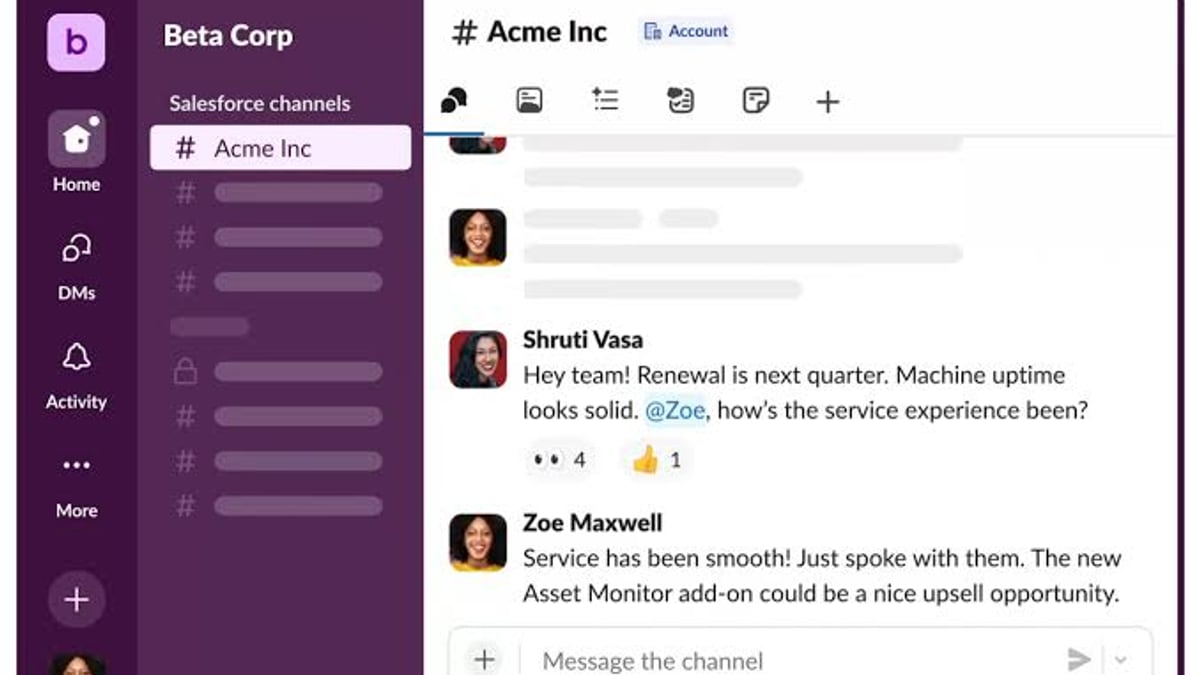
- Integration powerhouse: Over 2,600 apps in the marketplace mean Slack becomes the front end of your tech stack. Salesforce integration is especially deep: you can update CRM records from a channel, receive pipeline alerts, and trigger actions without leaving the conversation.
- Productivity impact is measurable: Beyond the stats mentioned earlier, independent surveys and PCMag’s testing confirm teams spend less time in status meetings and more time executing work.
- Customization without clutter: The interface feels friendly even as complexity grows. You can schedule message delivery, set custom notification hours, and pin critical information.
- Reliability: Across my tests and PCMag’s multi-platform evaluation, calls never dropped, and messages synced instantly.
The Dark Side: Limitations and User Frustrations
No tool is perfect, and Slack’s shortcomings are worth understanding before you commit.
- Free plan is a teaser, not a starter: The 90-day message cap means your team’s institutional memory evaporates quarterly. No group video and zero support make it unusable for any team that needs to grow beyond casual chat. Pumble’s detailed analysis of Slack’s limits echoes this frustration.
- AI paywall: The most compelling AI features (daily digests, file summaries, workflow generation) are locked behind the Business+ tier, which can push annual costs to $15 per user. That’s a steep jump from Pro.
- Canvases are a work in progress: While convenient, you cannot export a Canvas as a document, and if someone deletes a Canvas, all content is permanently gone after 24 hours—a dangerous gap for teams relying on them for documentation.
- Customer support inconsistencies: On Trustpilot, some users report unresolved login issues and slow response times outside of Business+. Conversely, PCMag’s live chat test at the Pro level resulted in a quick resolution; the experience seems tier-dependent.
- Notification fatigue potential: Slack can easily over-notify you. While do-not-disturb schedules and keyword filters help, new users may find the default barrage overwhelming until they tune settings.
How Slack Compares to Competitors: Decision Guide
Slack Review 2026: AI Features, Pricing & Honest Verdict - supporting product research image 4.
Slack vs. Microsoft Teams
Teams is a better value if you already subscribe to Microsoft 365, since it’s bundled and gives you full Office integration. However, Teams’ interface is still bulkier and less intuitive, and its AI features are more expensive when broken out. Choose Slack if user experience and app integrations matter more than cost; choose Teams if you live in the Microsoft ecosystem and need enterprise-grade videoconferencing (webinars, car-mode).
Slack vs. Pumble, Flock, and others
If your primary need is simple group chat with file sharing and you don’t require extensive integrations or AI, a tool like Pumble or Flock can save you significant money. As soon as you need searchable history beyond 90 days, Slack’s Pro plan becomes viable.
For external customer-facing conversations, dedicated platforms often work better than Slack Connect. Our side-by-side comparison of SaleSmartly vs LiveChat vs tawk.to shows how specialized tools handle omnichannel engagement, SLA tracking, and automated translation—areas where Slack isn’t designed to compete.
Related reading
- Top 10 AI Phone Support for Shopify Brands 2026 - Compare the 10 best AI phone support solutions for Shopify in 2026. We rank Ringly, Fin, Replicant, and more based on Shopify integration, resolution rates, and voice AI capabilities.
- How to Use SaleSmartly with PayPal: A Complete Integration Guide - Learn how to combine SaleSmartly's omnichannel AI customer service with PayPal to automate payment notifications, handle disputes, and boost sales conversion.
- Meta for Business Review 2026: Pros, Cons, and Verdict - Our in-depth Meta for Business review covers pricing, features, user feedback, setup steps, and decision criteria. See if Meta's ad platform fits your business in 2026.
Sources and further reading
- Read Customer Service Reviews of slack.com - Web resultsRead Customer Service Reviews of slack.comTrustpilothttps://www.trustpilot.com › ... › Software CompanyTrustpilothttps://www.trustpilot.com › ... › Software Company48 reviews, most reviewers were unhappy with their experience overall. Many users faced significant problems with logging in
- Slack Review: The Top Team Communication App for the Workplace - Slack's advanced messaging features, comprehensive integration support, variety of helpful AI tools, and welcoming interface make it the business communication app to beat.
- Slack Review 2026: An Honest Analysis by a Competitor - A 2026 Slack review with plans, features, pros, cons and limitations compared. How do Slack’s capabilities hold up in today's market?
FAQ
Is Slack’s free plan enough for a small team?
Only if you can accept losing message history after 90 days, no group video calls, and no customer support. For very early stage teams or casual groups it might suffice, but most businesses will need a paid plan sooner than expected.
Does Slack integrate with Salesforce?
Yes, deeply. You can view, update, and create Salesforce records directly from Slack channels, receive deal alerts, and use AI to summarize account activity—actions that normally require switching tabs.
Can Slack replace Zoom or Google Meet for video meetings?
Huddles handle quick team syncs well, but Slack lacks webinar hosting, breakout rooms, and a dedicated dial-in experience. It’s best used alongside a dedicated video platform for large or external meetings.
How does Slack’s AI handle data privacy?
Slack’s AI summarization and search operate on data that your organization already stores. It does not train on your proprietary conversations. Enterprise plans offer additional data residency and encryption options.
Is Slack suitable for non-tech teams?
Absolutely. Marketing, HR, sales, and operations teams find Slack’s channel-based approach more intuitive than email chains. The learning curve is gentle, and templates help standardize processes.
Conclusion: Is Slack Worth It in 2026?
Slack continues to set the bar for team communication, especially with AI now handling the heavy lifting of summarization and institutional memory. The Pro plan gives most teams the sweet spot: unlimited history, group Huddles, and essential AI features without breaking the bank. If your organization values transparent, searchable communication and you already use a set of integrated apps, Slack will almost certainly improve how work gets done. The Business+ tier is justified only if you need the advanced AI workflow features and faster support.
That said, the free plan is more of a trial than a permanent home, and rising per-user costs may push cost-conscious teams toward Microsoft 365 bundles or simpler alternatives. At SaleSmartly, we’ve seen companies that pair Slack with a strong CRM and AI-driven workflows achieve significantly faster alignment and decision-making. If you can afford at least the Pro plan and are ready to embrace its AI capabilities, Slack remains a top-tier investment in your team’s productivity.