
How to Use SaleSmartly with Ringly for 24/7 Omnichannel Customer Service
Most Shopify brands already juggle live chat, social messaging, and a growing queue of phone calls – often labeled “where is my order?”. The friction comes from switching between tools and losing context. SaleSmartly unifies all your digital conversations, while Ringly acts as an always‑on AI phone agent. Combined, they create a support stack that never sleeps, speaks your customers’ language, and pulls live Shopify data to resolve inquiries instantly.
Why Combine SaleSmartly and Ringly?

How to Use SaleSmartly with Ringly: Omnichannel AI Setup product interface and feature overview.
Running a modern ecommerce store means your customers expect an answer whether they DM you on Instagram, email you at 11 p.m., or call the support line during a lunch break. The problem is that chat tools and voice channels usually live in separate silos. When a customer calls about an order they also asked about on WhatsApp, no one has the full picture.
Pairing SaleSmartly’s omnichannel inbox (WhatsApp, Facebook Messenger, Telegram, LINE, Email, Web chat, and more) with Ringly’s AI phone support agent solves this by:
- Closing the voice gap: Ringly handles phone calls 24/7 – WISMO, returns, inventory checks, policy questions – without a human. Meanwhile, SaleSmartly manages all text‑based conversations from a single panel.
- Keeping data consistent: Both tools read live Shopify data (orders, products, stock) so answers stay accurate whether the customer calls or chats.
- Freeing up your team: AI chatbots and phone agents resolve up to 88% of routine inquiries, leaving your human agents to focus on complex sales conversations and high‑value shoppers.
If you’re already comparing how SaleSmartly’s messaging‑first approach stacks up against traditional CRMs, you can see it head‑to‑head with HubSpot in our detailed comparison.
Prerequisites for Integrating SaleSmartly and Ringly
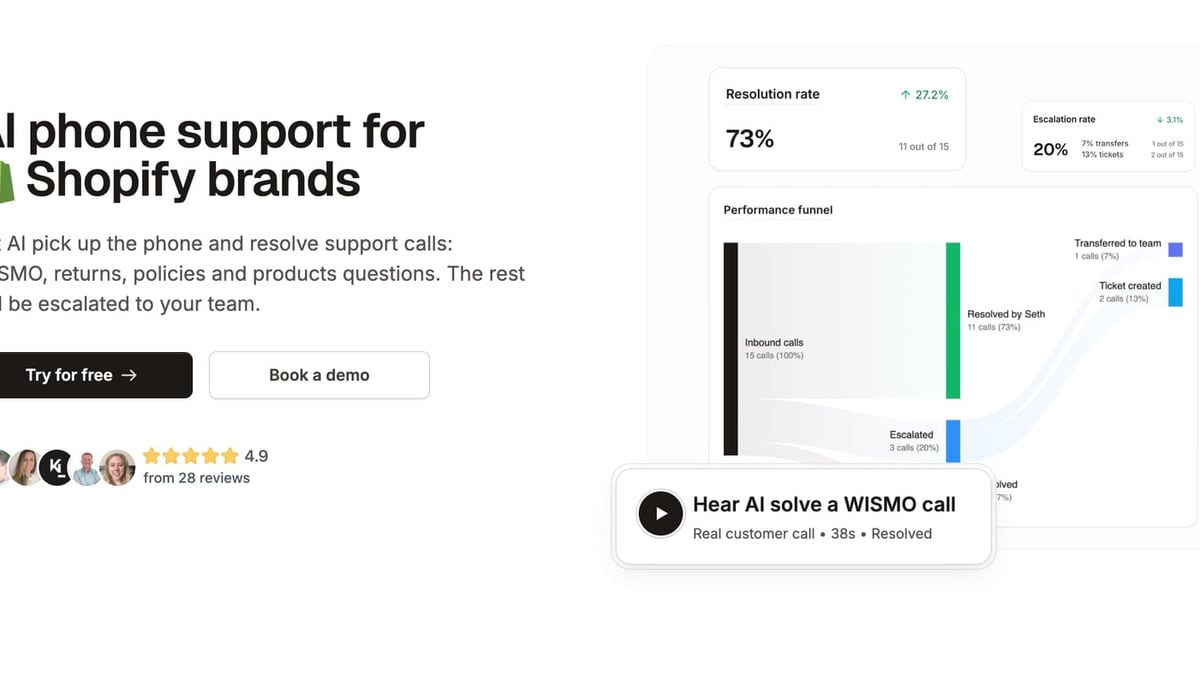
How to Use SaleSmartly with Ringly: Omnichannel AI Setup product interface and feature overview.
To get the full power of the combo, you’ll need:
- A Shopify store – Ringly works exclusively with Shopify (it pulls orders, products, and customer data in real time).
- An active SaleSmartly account with at least one messaging channel connected. If you’re new to SaleSmartly, follow this Shopify integration guide to sync your store data and install the live chat widget.
- A Ringly account set up with one or more phone lines. No extra hardware needed; everything runs in the cloud.
- Basic familiarity with both dashboards so you can configure automated workflows and call responses.
Note for non‑Shopify brands: Ringly is built specifically for Shopify. If you’re on another platform like WooCommerce, explore our in‑depth WooCommerce review to find compatible support tools.
Step‑by‑Step Setup: Connecting SaleSmartly and Ringly for Your Shopify Store
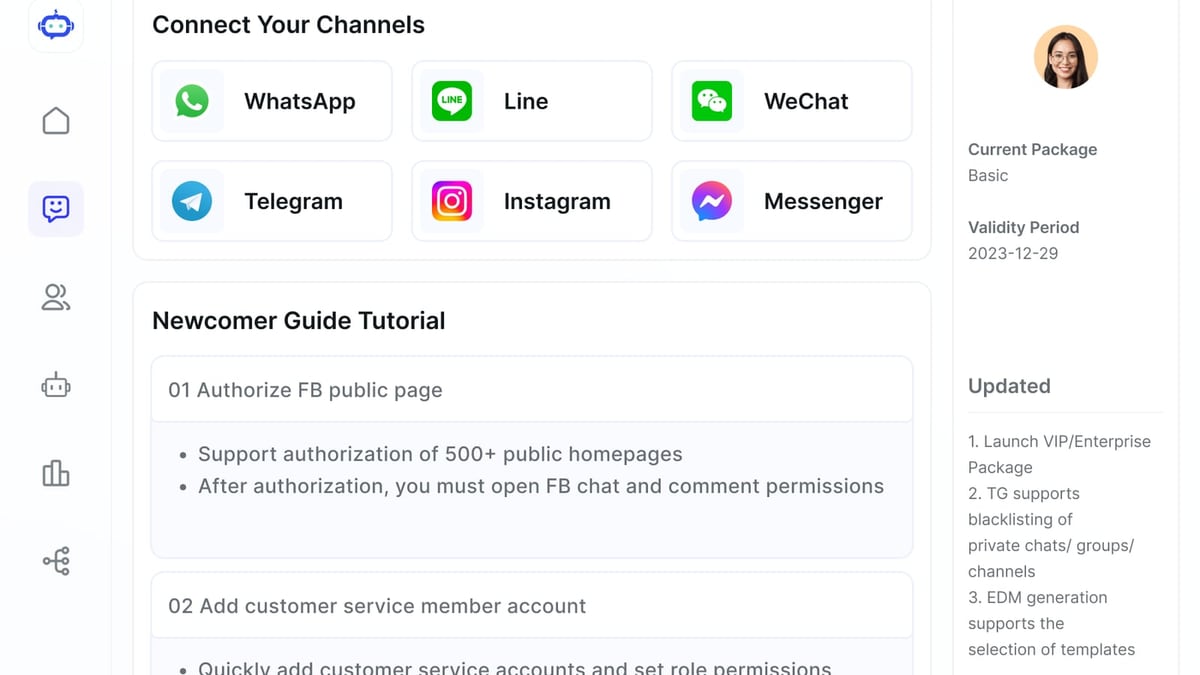
How to Use SaleSmartly with Ringly: Omnichannel AI Setup product interface and feature overview.
There’s no one‑click “connect SaleSmartly to Ringly” button because they integrate through Shopify itself – both tools read the same live store data. The magic is in orchestrating the workflows. Here’s how to set it all up.
1. Integrate SaleSmartly with Shopify
Start by connecting SaleSmartly to your Shopify backend. This syncs customer profiles, order history, and product catalogs, giving your chat agents (human or AI) instant context during a conversation.
- Log into SaleSmartly and navigate to Settings > Integration or use the built‑in Shopify plugin.
- Authorize the connection. Within minutes, you’ll see live chat, Messenger, Instagram, and other channels feed into one unified inbox.
- Enable SaleSmartly’s AI chatbot and automation rules. For example, you can create a flow that automatically sends the order status when a customer writes “Where’s my order?” on WhatsApp or Instagram DM.
Need a deeper walkthrough? The full step‑by‑step is in our SaleSmartly‑Shopify guide.
2. Set Up Your Ringly AI Phone Agent
Ringly turns your support phone number into an intelligent agent that answers calls just like a trained team member – but it works around the clock.
- Sign up for Ringly and link your Shopify store. The platform immediately imports your product catalog, order data, and store policies.
- Choose or port a phone number. You can keep your existing support line or pick a new number from Ringly’s dashboard.
- Configure call responses. Use Ringly’s fine‑tuning options to define how the AI handles “Where is my order?”, return requests, product availability checks, and policy questions. The AI will fetch real‑time tracking info, inventory counts, and store settings to answer accurately.
- Enable back‑in‑stock signups: when a product is out of stock, Ringly can capture the customer’s email or SMS directly over the phone.
3. Align Response Workflows Across Channels
The real power comes from making SaleSmartly and Ringly feel like one organisation. Design your response logic so customers get consistent answers regardless of channel.
- Order inquiries:
- Phone: Ringly pulls tracking from Shopify and reads it to the caller. If the order is still processing, the AI explains the timeframe set in your store settings.
- Chat/WhatsApp: SaleSmartly’s chatbot or live agent sees the same Shopify data in the customer profile panel and can reply instantly.
- Returns & exchanges:
- Ringly can guide callers through your return policy, check eligibility by order date, and even initiate a return label request.
- In SaleSmartly, when a customer then messages on Facebook to confirm the return, your agent already has the conversation context thanks to the shared Shopify data.
- Pre‑sale product questions:
- At peak times, Ringly answers stock‑check calls while SaleSmartly’s AI chatbot handles product questions on your site. Both tools pull from the same inventory numbers, so you’ll never over‑promise.
4. Optimise with Automation and Tags
Use SaleSmartly’s customer tags and automation modules to bridge any remaining gaps.
- When Ringly resolves a call, you could manually tag the customer in Shopify (for now, no direct API triggers) – but in practice, the next time that customer reaches out via chat, SaleSmartly’s CRM displays past order notes and interactions.
- Set up SaleSmartly automations to send a follow‑up message after a call: for example, a discount code for a returned item or a “rate your experience” link.
For more advanced automation techniques, you can browse SaleSmartly’s app store and official documentation.
Practical Workflow Examples
Let’s look at three real‑world scenarios where the dual setup shines.
Example 1: The 10 p.m. “Where Is My Order?” Call
A US‑based shopper dials your support line late at night. Ringly picks up immediately, identifies the caller by phone number (if matched to an order), and provides the latest tracking status without hold music. Simultaneously, if the same customer later drops a question into your website chat, SaleSmartly’s AI chatbot greets them by name and can supply the same tracking link, because both platforms are reading the same Shopify order.
No missed earnings, no next‑day backlog, and the customer never hears “our office is currently closed.”
Example 2: Multi‑Channel Return Request
A French‑speaking customer calls to return a shirt that didn’t fit. Ringly checks the order date, confirms it’s within the 30‑day window, and emails a return label. That evening, the same customer sends a Facebook message asking if they can exchange instead of refund. Because SaleSmartly supports real‑time translation across 134 languages, your English‑speaking agent reads the French message instantly, sees the return already authorised, and processes the exchange. The customer only ever experienced one seamless conversation.
Example 3: Flash Sale Phone Spike
During a flash sale, inventory questions flood both your phone line and Instagram DMs. Ringly handles calls asking “Is this in stock?”, pulling live inventory numbers. Meanwhile, SaleSmartly’s chatbot fields the same queries on chat and automates discount code delivery for buyers who complete a purchase. Your human team stays free to engage with VIP customers who need personalised styling advice.
How SaleSmartly + Ringly Solves Top Shopify Support Pain Points

How to Use SaleSmartly with Ringly: Omnichannel AI Setup product interface and feature overview.
24/7 coverage without headcount growth
Both tools rely on AI to answer routine questions around the clock. Ringly cuts phone support costs by up to 80%, while SaleSmartly’s chatbots and automation handle the majority of after‑hours chat traffic. Brands using this combination can offer “always open” customer service without hiring overnight teams.
True omnichannel – voice and text unified
Most “omnichannel” software still ignores phone calls. By adding Ringly, you finally bring voice into the same customer experience strategy. All interactions – phone call, Instagram DM, WhatsApp, email – benefit from up‑to‑date Shopify data.
Multilingual support from day one
SaleSmartly’s built‑in translation engine removes language barriers on chat. Ringly currently operates primarily in English but can be tailored with multilingual greetings or redirects. Together, they give global Shopify brands a viable path to 24/7, multilingual support.
Cost savings that scale
Rather than hiring more agents as order volume grows, you rely on AI for first contact. Human agents only step in for escalations or high‑touch sales. This keeps support cost‑per‑ticket low while customer satisfaction stays high.
Related reading
- SaleSmartly vs ChatMaxima: Omnichannel AI Showdown 2025 - Detailed SaleSmartly vs ChatMaxima comparison: omnichannel inbox, AI agents, real‑time translation, security, and pricing. See why SaleSmartly wins for cross‑border teams.
- Top 10 Digital Payment Platforms of 2026: Expert Review & Comparison - Discover the top 10 digital payment platforms of 2026. Compare features, pricing, and security of Stripe, PayPal, Adyen, and more for your business.
Sources and further reading
- What is SaleSmartly? - Elevate global customer engagement with SaleSmartly: AI automation, CRM, real-time translation, and secure omnichannel management for seamless cross-border operations.
Frequently Asked Questions
Do SaleSmartly and Ringly integrate directly with one another?
No, they don’t have a native integration. However, both connect to your Shopify store independently and read the same live order, product, and customer data. That shared source of truth makes them work seamlessly together.
Can I use SaleSmartly’s chatbot for phone calls?
SaleSmartly is a messaging‑first platform. It doesn’t handle voice calls. Ringly is designed specifically for AI‑powered phone support, so the two are complementary – voice with Ringly, text with SaleSmartly.
Which channels does Ringly cover?
Ringly handles phone calls only (inbound voice). SaleSmartly covers WhatsApp, Facebook Messenger, Instagram, Telegram, LINE, email, web chat, and many more. Using both gives you complete channel coverage.
Is this combination only for large Shopify stores?
Absolutely not. Small and mid‑sized brands benefit the most because they often can’t afford a 24/7 support team. Ringly’s cost‑saving model and SaleSmartly’s free‑forever plan make this stack accessible to stores of any size.
How do I handle a customer who calls and then chats later?
Since both platforms draw from the same Shopify customer record, your team (or AI) sees the call history and any notes. Context is preserved, and the customer doesn’t have to repeat themselves.
Conclusion
Pairing SaleSmartly’s omnichannel messaging platform with Ringly’s AI phone agent gives Shopify brands a support system that covers voice and text – 24 hours a day – without overwhelming a small team. You resolve routine calls and messages instantly, keep data consistent, and only involve people when it really matters.
At SaleSmartly, we test and compare the tools that modern ecommerce teams rely on. Whether you’re exploring SaleSmartly’s automation features or weighing the cost of AI phone support, building a stack like this is one of the smartest moves you can make for customer experience. Ready to dive deeper? Explore SaleSmartly’s official documentation or visit the SaleSmartly Help Center for setup guides, and check the SaleSmartly App Store for extra plugins that can further tighten your workflows. Then sign up for Ringly and start answering every call like it’s 10 a.m. on a Tuesday – no matter what time it really is.