
How to Use SaleSmartly with Shopify: The Complete Setup & Automation Guide
Managing customer conversations across live chat, WhatsApp, Messenger, and email can quickly overwhelm Shopify store owners. SaleSmartly unifies every message into one dashboard and layers on AI-powered chatbots and automations that work directly with your Shopify store. In this guide, you'll learn exactly how to connect SaleSmartly to Shopify, set up smart workflows, and see practical examples that turn conversations into conversions.
Why Combine SaleSmartly and Shopify

How to Use SaleSmartly with Shopify: Setup & Automation Guide product interface and feature overview.
SaleSmartly is an omnichannel customer communication and AI support platform built for cross-border ecommerce. When you connect it to your Shopify store, you get a command center that not only captures messages but also automates sales and support with context-aware AI.
- Single Inbox for All Channels — WhatsApp, Facebook Messenger, Instagram, Telegram, LINE, email, and more land in one place. No more tab-hopping between Shopify Inbox, email, and social apps.
- AI Chatbot That Sells and Supports — Deploy a chatbot that understands your products, qualifies leads, and answers order-related questions 24/7. SaleSmartly’s AI, enhanced by GPTBots integration (see its smart automation capabilities), delivers human-like responses instead of rigid flows.
- Automated Workflows for Higher Conversions — Trigger messages based on cart activity, page visits, or customer tags. Recover abandoned carts, recommend products, and send order updates on autopilot.
- Real-Time Translation in 134 Languages — Talk to shoppers worldwide in their native language without hiring multilingual agents.
- Unified Customer Profiles — Sync Shopify data with SaleSmartly to see order history, tags, and browsing behavior right next to each conversation.
How to Integrate SaleSmartly with Shopify: A Step-by-Step Walkthrough

How to Use SaleSmartly with Shopify: Setup & Automation Guide product interface and feature overview.
Step 1: Create Your SaleSmartly Account
Go to the SaleSmartly website and sign up for a free account. The free plan gives you access to core omnichannel messaging and basic chatbot features—perfect for testing. Paid plans unlock advanced automation, more AI credits, and team management tools.
Step 2: Install the SaleSmartly App or Embed the Code
You have two options to add SaleSmartly to Shopify:
- Shopify App Store (Recommended for most) — Search for “SaleSmartly” in the Shopify App Store and install it with one click. The app automatically places the chat widget on your store and syncs basic store data.
- Manual JavaScript Embed — If you prefer more control, copy the SaleSmartly tracking code from your dashboard and paste it into your Shopify theme’s
theme.liquidfile right before the closing</body>tag. This gives you the same widget without relying on the app.
Step 3: Connect Your Shopify Store to SaleSmartly’s Dashboard
After installation, go to your SaleSmartly dashboard. Under Channels → Website, you’ll see your Shopify domain already listed if you used the app. For the manual setup, add your store URL. Verify the connection by visiting your store—the SaleSmartly chat icon should appear.
Step 4: Configure Your Chat Channels
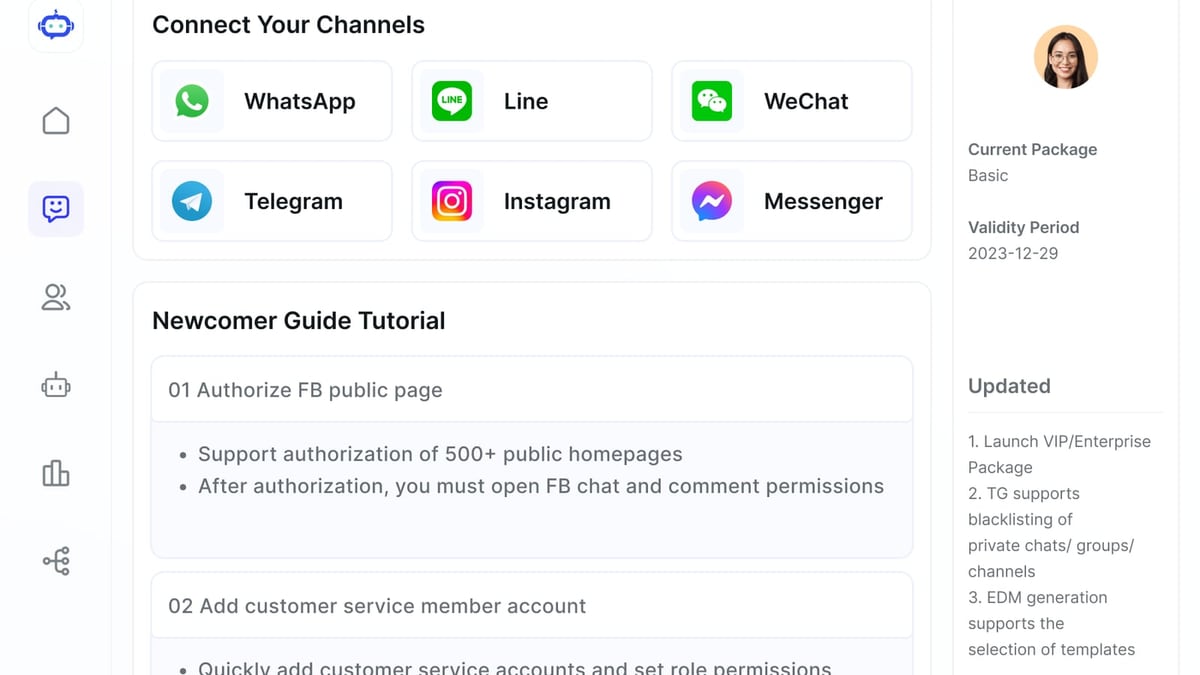
SaleSmartly shines when you go beyond live chat. Add your business’s WhatsApp, Facebook Messenger, Instagram, Telegram, and other channels:
- Navigate to Channel Management and click Add Channel.
- Follow the prompts to connect each social account (typically QR code or login).
- Once connected, messages from those platforms will flow into the same unified inbox.
Pro tip: Display WhatsApp and Messenger buttons alongside your website chat widget so customers can choose their preferred channel.
Step 5: Build Your AI Chatbot and Automation Rules
Now comes the magic. Use SaleSmartly’s visual flow builder to create a chatbot that works on your Shopify store:
- Welcome Message — Greet visitors and offer quick options (product search, order help, talk to human).
- Product Q&A — Link your Shopify catalog to the chatbot so it can pull real-time information and suggest items.
- Abandoned Cart Recovery — Create a flow triggered when a cart is abandoned. Send a personalized message via WhatsApp or Messenger 30 minutes later, optionally with a discount code pulled from Shopify.
- Order Status Automation — Let customers type “where’s my order” and have the bot reply with tracking info by connecting to your Shopify order data.
- Live Chat Handoff — When the bot can’t resolve an issue, it automatically routes the conversation to the right human agent with tags like “VIP customer” or “urgent.”
For smarter conversations that feel truly human, consider enabling GPTBots-powered AI. This transforms scripted replies into context-aware dialogues that answer open-ended questions. Learn how the SaleSmartly–GPTBots integration works.
Step 6: Test and Go Live
Before you launch, test the entire flow yourself:
- Send a test message from your store’s chat widget and through each connected channel.
- Simulate an abandoned cart to see if the automation triggers correctly.
- Ask the chatbot a few unpredictable questions and observe how it handles them.
- Check the agent dashboard to confirm routing rules work.
Once you’re satisfied, enable the chatbot and automations for all visitors.
Real-World Use Cases for SaleSmartly + Shopify
How to Use SaleSmartly with Shopify: Setup & Automation Guide product interface and feature overview.
Abandoned Cart Recovery Over WhatsApp
A shopper adds a product to their cart, enters their WhatsApp number in a pop-up (built with a SaleSmartly form), then leaves. Thirty minutes later, an automated WhatsApp message arrives: “Still thinking about it? Here’s a 10% code for your first order.” The customer completes the purchase. This single automation can recover 15–20% of lost sales.
AI-Powered Product Recommendations
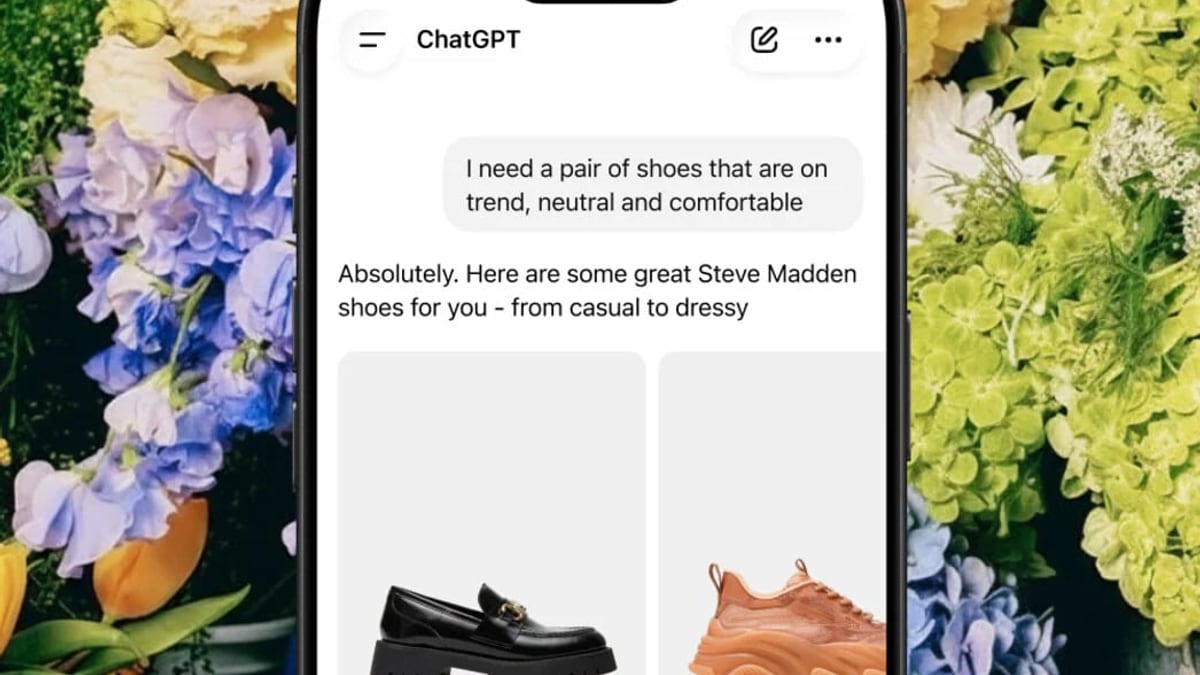
A visitor clicks on “I need help choosing” in the chat. The AI chatbot asks questions about budget, style, and use case, then recommends three Shopify products based on live inventory. The customer adds directly from the chat—no search needed.
Multilingual Support for International Shoppers
Your Shopify store ships to 30 countries, but you only have English-speaking agents. SaleSmartly’s real-time translation (134 languages) translates incoming messages to English and your agent’s replies back to the customer’s language. A Barcelona shopper asks a question in Spanish; your agent answers in English; the customer sees the reply in fluent Spanish. Result: higher trust and conversion without hiring native speakers.
Automated Order Tracking Queries
Instead of flooding support with “Where is my order?” emails, the chatbot retrieves the latest status directly from Shopify. Customers type their order number or simply trigger the intent, and the bot fetches tracking details instantly. This deflects up to 40% of routine tickets.
Sources and further reading
- SaleSmartly 2026 Guide: AI Chatbot + GPTBots Integration - Learn about what SaleSmartly is, its features, GPTBots integration, and user reviews to see how it can offer AI-driven customer support for your business.
- Walmart Shopify App Integrations - GeekSeller is now offering a stand-alone Walmart Shopify Integration Manage Walmart Listings, Inventory and Orders Directly from your Shopify Panel Only $9/mo GeekSeller offers two ways to connect Walmart and Shopify Option 1Walmart Marketplace Shopify App Manage your Walmart business from Shopify How it worksShopify panel is your hub. You fulfill Walmart orders from Shopify […]
- Best Shopify Appointment Booking Apps for 2026 | Essential Apps - Discover the best Shopify appointment booking apps to streamline your business operations with real-time calendar syncing and automated reminders.
Frequently Asked Questions
Is SaleSmartly free to use with Shopify?
SaleSmartly offers a permanent free plan that includes basic omnichannel messaging and limited chatbot flows. Paid plans start affordably and are geared toward growing businesses that need higher AI credits, more agent seats, and full automation power. You can start free and upgrade as your volume grows.
Can I keep using Shopify Inbox together with SaleSmartly?
Yes, but using both may fragment your conversations. SaleSmartly already aggregates live chat, social media, and messaging apps into one inbox, making Shopify Inbox redundant. Most merchants switch entirely to SaleSmartly after seeing the unified view and automation capabilities.
Does the SaleSmartly chatbot know what products are in my Shopify store?
When properly integrated, you can connect your Shopify product catalog to SaleSmartly’s AI. The chatbot can then pull product names, prices, stock levels, and even images in real time, turning a generic assistant into an informed sales guide.
How does SaleSmartly compare to other omnichannel platforms like HubSpot or Salesforce?
SaleSmartly is built specifically for cross-border ecommerce and WhatsApp-first markets, while HubSpot emphasizes CRM workflows and Salesforce focuses on enterprise-grade AI agents. For a detailed feature-by-feature comparison, read our SaleSmartly vs HubSpot showdown and our Salesforce Agentic CRM (Agentforce) review.
Can I send automated messages to customers without breaking Shopify’s rules?
Absolutely. SaleSmartly uses consent-based messaging (opt-in chat, WhatsApp business policies) and integrates with Shopify’s APIs responsibly. Just ensure you follow each channel’s commerce policies, and you’ll stay compliant while automating.
Elevate Your Shopify Store with SaleSmartly
How to Use SaleSmartly with Shopify: Setup & Automation Guide product interface and feature overview.
SaleSmartly turns scattershot customer conversations into a streamlined sales engine. By connecting all your messaging channels, layering on AI chatbots that understand your products, and automating the most impactful workflows—from abandoned cart recovery to order updates—you can deliver a customer experience that converts visitors into loyal buyers while keeping support costs low.
If you’re weighing different omnichannel solutions, explore how SaleSmartly stacks up against HubSpot and Salesforce in our linked comparisons. Ready to give it a try? Install SaleSmartly on your Shopify store today and start building a smarter, unified customer communication system.
SaleSmartly is an editorial resource that helps you choose the right AI and customer engagement tools for your business.