
Mailchimp Review 2025: Features, Pricing & Honest Verdict
Mailchimp is often the first name people mention when they talk about email marketing. With over 14,000 new sign-ups every day, a 4.5-star rating from more than 33,000 reviews, and an ever-growing set of AI-powered tools, it’s easy to see why. But behind the playful monkey branding, there’s a platform that has changed dramatically in recent years—especially since its acquisition by Intuit. At SaleSmartly, we test dozens of marketing and productivity tools to give you honest, evidence-based advice. This review digs into what Mailchimp really offers, who it suits best, and where it falls short, so you can decide if it deserves a place in your tech stack.
What Makes Mailchimp Stand Out
Mailchimp Review 2025: Features, Pricing & Honest Verdict product interface and feature overview.
It’s impossible to ignore Mailchimp’s biggest selling point: its sheer breadth of features. The platform has evolved far beyond a simple newsletter tool.
AI-Powered Content Creation and Analytics
Mailchimp has embraced generative AI early. Its built-in Creative Assistant can write subject lines and email copy using models like ChatGPT and Claude, while the new email builder suggests designs based on your brand style. Analytics AI predicts which customers are most likely to purchase, churn, or generate high lifetime value. These tools can save hours each week. For example, Mailchimp claims users save about 6 hours on content creation and 5+ hours on audience management weekly. For small teams without a dedicated copywriter, that’s a game-changer.
Deep Ecommerce Integrations
Online stores get special treatment. You can connect Mailchimp to Shopify, Wix, or WooCommerce (check out our WooCommerce review to see how that integration works) with a single click. It then automatically syncs customer and purchase data, triggering behavioral automations like abandoned cart emails, back-in-stock alerts, and personalized product recommendations. The platform even supports multi-country SMS with age gating for regulated industries like alcohol sales—rare flexibility in an email-first tool.
All-in-One Marketing Hub
Mailchimp isn’t just email. It includes a basic CRM, landing pages, social media scheduling, and retargeting ads. The built-in CRM lets you track customer profiles and assign lifetime value tags. If you need a more robust CRM, we’ve compared the top 10 CRM platforms for 2026 for wider options. But for a small business trying to consolidate tools, this all-in-one approach can reduce complexity and cost.
Deliverability and Reporting
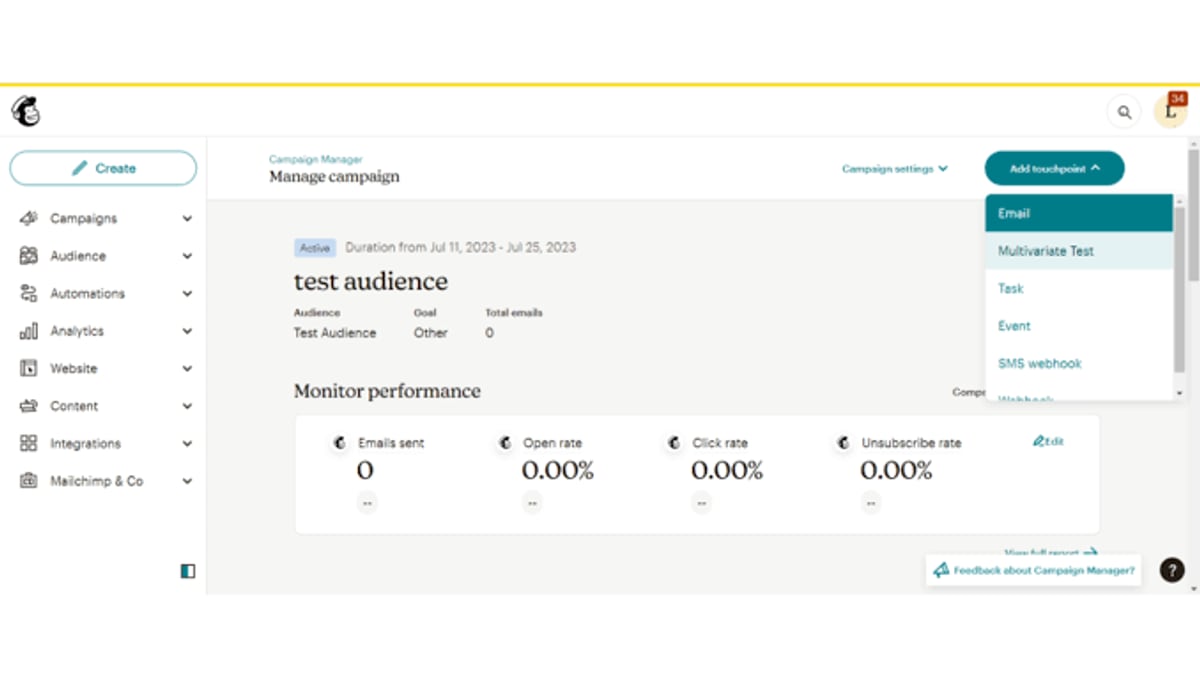
A missing email is a wasted opportunity. Mailchimp consistently reports deliverability above 99%, and its reporting dashboard drills down into opens, clicks, revenue per campaign, and even predictive insights. The Analytics AI highlights trends you’d otherwise miss, like the best time to send or which segments are most engaged.
The Hidden Costs and Limitations
Despite its strengths, Mailchimp has some significant pain points that are easy to miss until you’re already committed.
Aggressive Pricing and Double Counting
Mailchimp charges based on the number of contacts you store—not just those you email. Even more frustrating, if the same person appears in two separate “Audiences,” you pay for them twice. Cleaned contacts (addresses that bounced and can’t be sent to) still count toward your bill. This pricing model can silently inflate costs as your list grows. As highlighted by in-depth analysis at EmailToolTester, a 10,000-subscriber list on the Essentials plan costs around $110/month, while comparable tools like Brevo charge based on emails sent, not contacts, making them far cheaper for large, low-frequency senders.
A Shrinking Free Plan
Mailchimp’s free tier once attracted millions of users. Today, it’s extremely limited: just 500 contacts, 1,000 emails per month, no automations, no A/B testing, and you can’t even schedule an email. Most small businesses will outgrow it within months and face a paid plan. When you compare that to MailerLite or Brevo, which offer more generous free plans, Mailchimp’s “freemium” model feels more like a trial.
Customer Support Headaches
Across multiple review platforms, including Trustpilot, customer support is the most common complaint. Paid plans include 24/7 email and chat support, but users frequently report difficulty reaching a human and slow resolution times. For new users, this is a serious drawback when you’re stuck trying to find a feature hidden in the maze-like navigation.
Overwhelming for Beginners
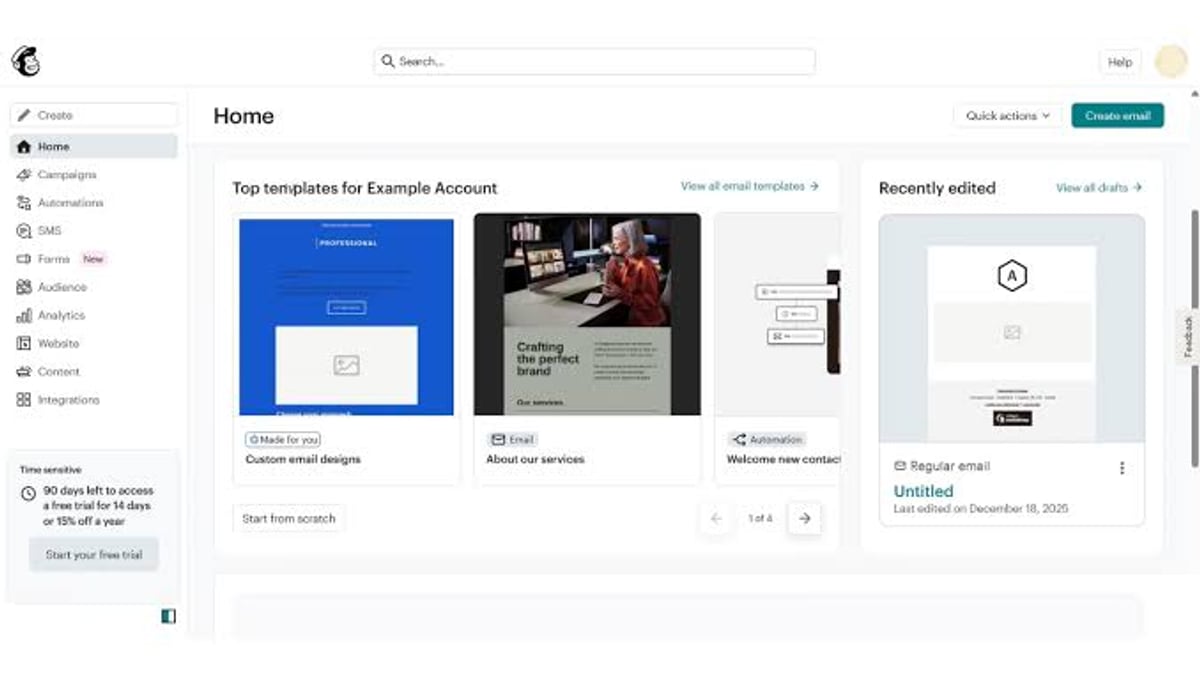
Mailchimp’s interface packs so many features that navigation can be confusing. Landing page builders, form types, and the distinction between the classic and new email builder are often cited as pain points. Small teams looking for a simple newsletter tool may find the constant upselling and busy interface more distracting than helpful.
Mailchimp Pricing: Is It Worth It?
Mailchimp Review 2025: Features, Pricing & Honest Verdict - supporting product research image 2.
Mailchimp offers three main plans: Free, Essentials, and Standard. Premium is also available for high-volume senders. Here’s what you can expect at different subscriber levels (based on Essentials plan):
- 500 contacts: $0/month (Free plan, heavily restricted)
- 2,500 contacts: ~$45/month
- 10,000 contacts: ~$110/month
- 25,000 contacts: ~$310/month
- 50,000 contacts: ~$385/month
Keep in mind that Essentials lacks advanced segmentation, A/B testing, and most automation templates. To unlock the customer journey builder and predictive analytics, you need the Standard plan, which costs about 20–30% more. Email sending limits are 10x your contact count on Essentials and 12x on Standard; exceeding them means overage fees.
Compared to competitors, Mailchimp’s pricing quickly becomes expensive for lists above 5,000. Tools like Brevo charge by email volume instead of contacts, and MailerLite offers unlimited users on paid plans. If you have a large, multi-audience setup, expect your Mailchimp bill to climb faster than with most alternatives.
Who Should Choose Mailchimp?
Mailchimp Review 2025: Features, Pricing & Honest Verdict - supporting product research image 3.
Mailchimp is not a one-size-fits-all solution, but it shines in a few specific scenarios.
Ecommerce Brands and Online Stores
If you run a Shopify, WooCommerce, or Wix store, Mailchimp’s deep integration and ecommerce-specific automations (abandoned cart, product recommendations, revenue reporting) make it a powerful revenue driver. The ROI calculator on their site helps estimate returns, and the AI content tools create product-focused emails with minimal effort.
Small Businesses Looking for an All-in-One Tool
For a small restaurant, nonprofit, or professional service firm that wants email marketing, basic CRM, social scheduling, and landing pages under one login, Mailchimp eliminates the need to patch together multiple tools. It’s especially useful when you’re just starting with digital marketing and prefer guided, template-based setups.
Content Creators and Solopreneurs
If you need to build an audience, send regular newsletters, and monetize through digital products, Mailchimp’s free plan (despite its limits) can work until you reach a few thousand subscribers. The AI writing assistant helps you produce content quickly, and the landing pages can boost subscriber growth.
When to Consider Alternatives
Mailchimp may not be the best choice if:
- You have a large or fast-growing list (over 10,000 subscribers). Alternatives like Brevo or ActiveCampaign scale more affordably.
- You need advanced marketing automation with complex branching logic and deep CRM features. ActiveCampaign or HubSpot might be a better fit.
- Customer support is critical to your team. Small teams often struggle with Mailchimp’s support delays.
- You only need simple newsletters. Tools like MailerLite offer a cleaner, more focused experience without the clutter.
- You dislike being locked into a single ecosystem. Mailchimp’s all-in-one approach can feel restrictive if you prefer to choose best-of-breed tools for each function.
Setting Up Mailchimp: A Quick Walkthrough
Mailchimp Review 2025: Features, Pricing & Honest Verdict - supporting product research image 4.
Getting started with Mailchimp is straightforward, but the initial steps deserve attention to avoid importing headaches.
- Create your account and verify your domain to improve deliverability.
- Import your contacts carefully. Mailchimp is strict about imported lists and may flag or reject lists that look risky. You may be forced to send a re-engagement campaign first.
- Connect your store or website. Use the one-click tracking pixel for Shopify, Wix, or WooCommerce. For other platforms, install the Mailchimp for WordPress plugin or paste the snippet.
- Set up audiences and tags. Remember, Mailchimp treats each audience as a separate list, so plan your segmentation from the start to avoid paying for duplicates.
- Build your first email using the new drag-and-drop builder and AI assistant. Experiment with dynamic content blocks to personalize based on purchase history or engagement.
- Activate a welcome automation to engage new subscribers immediately.
How Does Mailchimp Compare to Other Platforms?
In a crowded market, Mailchimp’s biggest differentiator is its breadth. Klaviyo, for example, dives deeper into ecommerce data but comes at a steeper price and with a steeper learning curve. Constant Contact offers similar simplicity but lacks Mailchimp’s AI and automation maturity. Brevo provides better value for large lists and includes transactional emails on basic plans.
Mailchimp’s 4.5-star average from thousands of reviews speaks to a generally happy user base. But reading the negative feedback reveals a clear pattern: users love the feature set until they hit the pricing wall or need live support. The balance between power and cost is very personal—only you can decide where your tipping point lies.
Related reading
- Top 10 AI Team Collaboration & Productivity Platforms 2026 - Compare the 10 best AI team collaboration platforms of 2026: Monday.com, ClickUp, Asana, Notion, Slack, and more. AI features, pricing, and reviews.
- SaleSmartly vs Olark vs Wati | AI Customer Engagement Comparison - Compare SaleSmartly, Olark, and Wati across channels, AI, CRM, pricing, and security. Find the best #1 AI-powered customer engagement platform for your team.
- SleekFlow Review 2026: Features, Pricing & Honest Verdict - In-depth SleekFlow review: Explore features, pricing, pros & cons, setup, and real user ratings. See if this AI conversational commerce platform fits your business.
Frequently Asked Questions
Does Mailchimp have a free plan?
Yes, but it’s heavily limited: 500 contacts, 1,000 emails per month, no automations, A/B testing, or scheduling. It’s best for testing the interface or very small hobby projects.
How does Mailchimp pricing work for multiple audiences?
Each audience is counted separately, so the same contact stored in two audiences counts as two contacts in your billing. Many users consolidate audiences into a single list and use tags and segments instead to avoid double charging.
What integrations does Mailchimp offer?
Over 300 direct integrations, including Shopify, WooCommerce, WordPress, Zapier, Canva, and QuickBooks. If you need to connect a specialized tool, there’s a strong chance Mailchimp already supports it.
How does Mailchimp compare to Klaviyo?
Klaviyo is built entirely for ecommerce with advanced predictive analytics and hyper-segmentation, but its pricing scales aggressively. Mailchimp is more versatile for mixed-use cases (content creators, nonprofits) and generally cheaper for small ecommerce stores, though you may outgrow it as your needs become more sophisticated.
Can I send SMS with Mailchimp?
SMS is available as a paid add-on, with features like multi-country sending and age gating for alcohol brands. It’s not as deeply integrated as dedicated SMS platforms, but it’s convenient to manage both email and SMS in one dashboard.
Final Verdict: Is Mailchimp Right for You?
Mailchimp isn’t the undisputed king of email marketing anymore, but it’s still a strong contender—especially for ecommerce businesses and small teams that want an all-in-one marketing hub. The AI tools genuinely save time, the deliverability is rock-solid, and the integration library is hard to beat. The catch is pricing: if you’re not careful, costs can spiral quickly, and the free plan is now more of a teaser than a usable long-term solution.
Before you commit, map out your subscriber growth, list structure, and the features you actually need. If you require a simpler, more affordable tool, alternatives like MailerLite or Brevo might serve you better. If you depend on deep ecommerce integration and AI-powered efficiency, Mailchimp is worth the investment. And remember, at SaleSmartly, we specialize in helping businesses find the right software stack—whether it’s a CRM, an email platform, or an AI collaboration tool—so you can focus on growth.