
10 Best Messaging and Calling Apps for 2026 (Expert Review)
Staying connected in 2026 demands more than simple text exchanges. Today’s leading apps combine crisp voice and video calls, group collaboration tools, and strong encryption into one seamless experience. Yet with so many choices, picking the right one can be overwhelming. That’s why we’ve rigorously tested and ranked the top 10 messaging and calling apps against clear, transparent criteria—so you can choose a platform that matches your privacy needs, social circle, and feature wishlist.
How We Evaluated These Apps
10 Best Messaging and Calling Apps for 2026 (Expert Review) product interface and feature overview.
There’s no single “perfect” app for everyone. Our rankings balance real-world usability with technical transparency, drawing on extensive hands-on testing and independent analyses from authoritative sources like PCMag’s 2026 private messaging review and MEGA’s security‑focused comparison. We focused on the following criteria:
- End‑to‑end encryption (E2EE): Does the app encrypt messages by default for all conversations, or only under certain conditions?
- Metadata collection: What information about who you contact, when, and how often does the provider store?
- Platform availability: Can you use the app on Android, iOS, desktop, and web simultaneously?
- Voice and video call quality: Does the app offer reliable, high‑definition calling?
- Group features: What group sizes, communities, and admin tools are available?
- Transparency and ownership: Is the code open source? Has the app undergone independent audits? What business model does the company follow?
With these pillars in mind, here are the 10 best messaging and calling apps of 2026.
The Top 10 Messaging and Calling Apps in 2026

10 Best Messaging and Calling Apps for 2026 (Expert Review) product interface and feature overview.
1. Signal – Best for Privacy and Security
Signal remains the gold standard for secure communication. Run by a non‑profit foundation, it collects almost no user data—only your phone number (which you can now hide with a username) and the date you last connected. Every message, voice call, and video call is end‑to‑end encrypted using the open‑source Signal Protocol, the same encryption that powers WhatsApp and Google Messages. Independent audits regularly confirm its robustness.
Why it’s #1: Signal combines uncompromising privacy with a polished messaging experience. Disappearing messages, encrypted sticker packs, and high‑quality group calls up to 40 people make it ideal for both personal chats and professional activism.
- Pros: Non‑profit model, no ads, minimal metadata, cross‑platform (Android, iOS, Desktop)
- Cons: Requires a phone number to register (though usernames mitigate this); smaller user base than WhatsApp
PCMag picked Signal as the best overall private messaging app in 2026, citing its “uncompromising privacy.”
2. WhatsApp – Best for Universal Reach
With over 3 billion active users across 180 countries, WhatsApp is the messaging app your contacts are most likely to have. It uses the Signal Protocol to encrypt all messages and calls end‑to‑end, and supports group chats, Channels, and Communities. Voice and video calls are reliable, and you can link multiple smartphones to one account.
The trade‑off: WhatsApp is owned by Meta. While message content is encrypted, Meta collects extensive metadata—contact lists, usage patterns, device identifiers—that can be used for advertising across its platforms. The built‑in Meta AI assistant also does not apply E2EE, so avoid sharing sensitive information with it.
- Pros: Largest user base, simple setup, quality calls, encrypted multimedia sharing
- Cons: Heavy metadata collection, closed source, Meta’s advertising ecosystem
As noted in a detailed security guide by MEGA, WhatsApp offers “a mixed privacy picture” due to metadata harvesting.
3. Telegram – Best for Features and Flexibility
Telegram shines with its cloud‑first architecture, massive group chats (up to 200,000 members), and a rich ecosystem of bots and channels. You can send files up to 2 GB, schedule messages, and enjoy smooth video calls. The app syncs seamlessly across all your devices without needing your phone to be online.
Privacy nuance: Standard chats are not end‑to‑end encrypted; they’re stored on Telegram’s servers. For private conversations, you must manually enable “Secret Chats,” which are device‑specific and lack group support. Voice and video calls in group settings are also not E2EE.
- Pros: Powerful features, cross‑device sync, large communities, animated stickers
- Cons: Default chats lack E2EE; proprietary encryption protocol not widely audited
Zapier highlighted Telegram as the best app for logging in from multiple devices.
4. Messenger – Best for Social Integration
Facebook Messenger remains the go‑to for anyone already deep in the Meta ecosystem. It offers text, voice, and video calls, with the ability to start group video chats directly from a Facebook group. End‑to‑end encryption is available via “Secret Conversations,” but not turned on by default.
Messenger’s strength is convenience: you can reach almost anyone with a Facebook account without exchanging phone numbers. However, the same Meta privacy concerns that apply to WhatsApp apply here, and the app’s interface can feel cluttered with ads and suggested content.
- Pros: Huge built‑in user base, cross‑platform, fun AR filters
- Cons: Metadata collection, encryption not default, heavy integration with Facebook
5. Viber – Best WhatsApp Alternative
Viber is a feature‑rich alternative that encrypts all one‑on‑one and group conversations by default—no special mode needed. It supports voice and video calls with up to 50 people, a lively sticker market, and Communities for public discussion. Unlike WhatsApp, Viber is not owned by Meta, giving it an edge for privacy‑conscious users who still want a full social experience.
- Pros: Default E2EE, vibrant global community, stickers and GIFs, cross‑platform
- Cons: Cluttered interface, channels are not encrypted, less popular in some regions
The Zapier team named Viber as the best WhatsApp alternative for its all‑around feature set.
6. Threema – Best Paid Privacy App
Threema bucks the “free” model by charging a one‑time fee (about $5) and promising zero ads or tracking. It generates an 8‑digit ID, so no phone number or email is required. All messages, calls, and files are end‑to‑end encrypted, and the app undergoes regular external audits. Swiss hosting provides strong legal protection for user data.
- Pros: No personal info at sign‑up, fully encrypted, Swiss privacy laws, open source
- Cons: Small user base, one‑time purchase fee
MEGA’s 2026 comparison shortlisted Threema as a serious contender for anyone prioritising anonymity over cost.
7. Session – Best for Anonymous Messaging
Session is built for users who want zero identity linkage. It requires no phone number or email, routes messages through an onion‑like network, and stores data on a decentralized server swarm. Screenshots are blocked by default, and all communications are E2EE. Voice calls are supported, though the app’s focus on anonymity can make message delivery slightly slower.
- Pros: Complete anonymity, decentralized infrastructure, open source, free
- Cons: Slower performance, no video calling at the time of writing
PCMag awarded Session its “Best for Anonymous Texting” title, praising the no‑personal‑info setup.
8. Briar – Best for Offline and Censorship Resistance
Briar is a niche but powerful tool for extreme situations. It can sync messages over Bluetooth, Wi‑Fi, or even sneakernet when the internet is down, creating a mesh network with nearby users. All data is encrypted and stored only on your device. It’s ideal for activists, journalists, or anyone in a crisis zone—but it works only on Android and requires nearby Briar users to be effective.
- Pros: Works without internet, no servers, tamper‑proof private groups
- Cons: Android only, very small user base, limited multimedia support
PCMag included Briar as the go‑to app for avoiding surveillance and ensuring connectivity even during network outages.
9. MEGA Chat – Best for Encrypted Cloud Storage Integration
MEGA Chat pairs strong zero‑knowledge end‑to‑end encryption with 20 GB of free cloud storage. You can share encrypted files directly inside a conversation without leaving the app, and no phone number is needed to sign up. It’s a natural fit for professionals exchanging sensitive documents or for anyone who wants their chat history and media stored E2EE in the cloud.
- Pros: Integrated secure storage, no phone number, cross‑platform, generous free tier
- Cons: Requires both parties to have a MEGA account, smaller messaging community
MEGA’s own blog positions MEGA Chat as a unique secure messaging app with encrypted file sharing built in.
10. LINE – Best for East Asian Markets
LINE is the dominant messaging app in Japan, Thailand, and Taiwan, offering free voice and video calls, an extensive sticker shop, and an ecosystem that includes news, payments, and even ride‑hailing. While default chats use transport‑layer encryption, end‑to‑end “Letter Sealing” must be enabled manually for each conversation. For anyone communicating with friends or business partners in East Asia, LINE is often the most practical choice.
- Pros: Deep feature set, massive regional user base, integrated services
- Cons: E2EE not on by default, heavy emphasis on in‑app purchases, limited global adoption
Business Use: What If You Need to Manage Multiple Messaging Apps?

10 Best Messaging and Calling Apps for 2026 (Expert Review) product interface and feature overview.
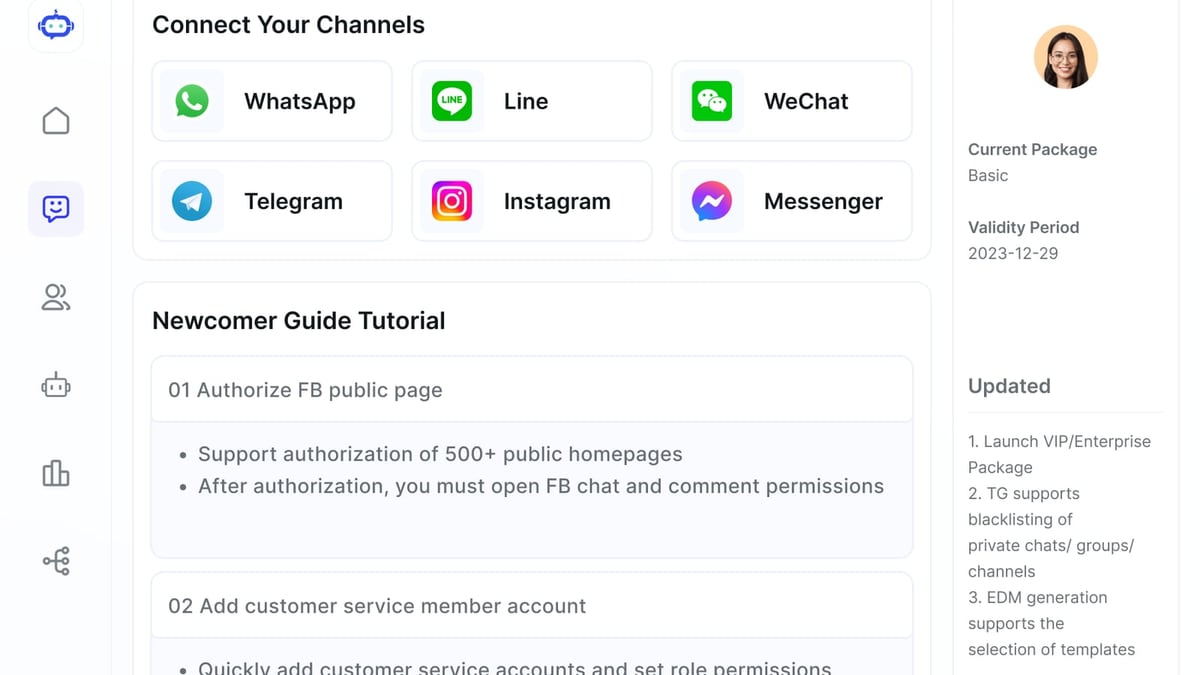
Many businesses now rely on WhatsApp, Messenger, Telegram, and LINE to communicate with customers. Juggling all these platforms separately can overwhelm a team. That’s where centralized customer‑communication platforms come in. SaleSmartly, for instance, aggregates chats from over 10 messaging channels—including all the apps mentioned above—into one AI‑powered inbox. It provides automated responses, language translation, and detailed analytics, making it especially valuable for e‑commerce and cross‑border operations.
If you run an online store, our guide on how to use SaleSmartly with WooCommerce shows you how to automate WhatsApp and Messenger inquiries to boost sales. For a head‑to‑head comparison of leading AI chat platforms, see our SaleSmartly vs Tidio vs Respond.io analysis. At SaleSmartly, we’ve helped countless businesses integrate messaging apps seamlessly—and a tool like SaleSmartly often cuts response times by half while increasing conversion rates.
Related reading
- Respond.io Review: AI-Powered Conversation Software (2026) - In-depth Respond.io review covering AI agents, omnichannel inbox, pricing, pros/cons from G2 & Capterra. See if it’s right for your B2C business in 2026.
- IBM watsonx Review: Enterprise AI Platform for 2026 - Explore our in-depth IBM watsonx review covering features, governance, pricing signals, user feedback, and ideal use cases to decide if it fits your enterprise AI needs.
Sources and further reading
- What is the most secure messaging app? 2026 comparison guide - What is the most secure messaging app in 2026? Compare E2EE messaging apps based on privacy, security features, and metadata protection.
- The 6 best texting apps in 2026 - Keeping in touch with friends and family has never been easier. If you have an internet connection, you can send a message to anyone, anywhere, free of charge.
Frequently Asked Questions
What is the most secure messaging app in 2026?
Signal is widely considered the most secure because it combines open‑source code, rigorous independent audits, a non‑profit structure, and minimal data collection with default end‑to‑end encryption for all conversations.
Is WhatsApp end‑to‑end encrypted?
Yes, WhatsApp uses the Signal Protocol to encrypt messages, voice calls, and video calls end‑to‑end. However, Meta collects significant metadata (who you message, when, from which device), and AI interactions within WhatsApp are not encrypted.
Can I use these messaging apps for business customer support?
Absolutely. Many businesses use WhatsApp Business, Messenger, and Telegram. To scale support efficiently, you can connect these channels to a multi‑channel platform like SaleSmartly, which centralises conversations and automates answers with AI.
Are free messaging apps safe?
Safety depends on the app’s encryption, data practices, and ownership. Free apps like Signal are very safe because they don’t trade data for revenue. Others, like Messenger, collect data for advertising. Always check what information is stored and how it’s used.
Conclusion
The best messaging and calling app in 2026 is the one that matches your threat model and social reality. If privacy is your absolute priority, choose Signal. If you need to reach the most people, WhatsApp is hard to beat. If you crave features, Telegram delivers. And if you’re running a business, remember you can bridge all of these apps into a single, efficient workspace with the right integration tools. Use our table and detailed breakdown to pick the app that fits your life—and stay connected, securely.