
Top 10 AI Workflow Automation Platforms 2026: Expert Picks
AI workflow automation has moved from a productivity hack to a business necessity. The 2026 landscape offers platforms that don’t just connect apps—they use AI to make decisions, generate content, handle edge cases, and orchestrate multi-step processes with minimal human intervention. At SaleSmartly, we’ve tested and analyzed the leading solutions to bring you this unbiased, evidence-based list of the top 10 AI workflow automation platforms.
Our review goes beyond marketing claims. We evaluated each tool against real-world criteria, including AI orchestration depth, integration breadth, ease of use for different skill levels, pricing transparency, and enterprise governance. Whether you’re a solo developer building a RAG chatbot or an enterprise team automating procurement, this guide will help you pick the right platform.
How We Evaluated the Best AI Workflow Automation Tools
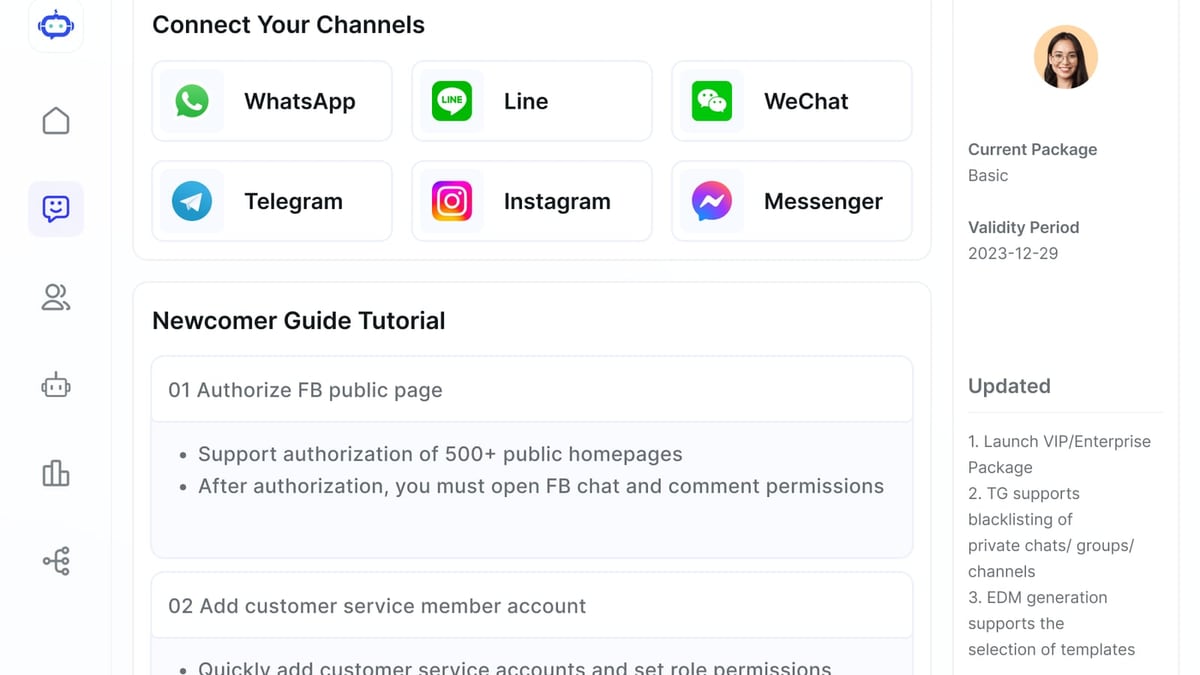
Top 10 AI Workflow Automation Platforms 2026: Expert Picks product interface and feature overview.
The AI automation market is crowded, so we established clear criteria to separate genuine AI-first platforms from traditional automation tools with AI bolted on.
- True AI Capabilities: The platform must natively support AI agents, LLM-powered steps, or contextual decision-making—not just a simple ChatGPT connector.
- Flexibility & Customization: Can the platform handle edge cases with code fallbacks (Python, JavaScript) or deep API access? We valued both no-code simplicity and developer depth.
- Integration Ecosystem: Number and quality of built-in connectors matter, but so does the ability to add custom APIs and webhooks.
- Enterprise Readiness: SOC 2 compliance, role-based access control, logging, and observability were vital for larger teams.
- Pricing Scalability: We looked for fair usage-based or flat pricing that doesn’t punish growth. Free tiers or self-hosted options were a bonus.
- User Experience: Visual workflow builders that reduce the learning curve without sacrificing power earned higher marks.
No single tool is perfect for everyone. We ranked solutions based on a balance of these factors, with an emphasis on genuine AI automation depth rather than just app connectivity.
The Top 10 AI Workflow Automation Tools in 2026

Top 10 AI Workflow Automation Platforms 2026: Expert Picks product interface and feature overview.
| Tool | Best For | AI Features | Integrations | Starting Price (Cloud) | G2 Rating |
|---|---|---|---|---|---|
| n8n | Technical teams & enterprises wanting full control | AI agents, RAG, code nodes, multi-agent flows | 400+ built-in, custom nodes, any API | $20/mo (Cloud) / Free self-host | 4.8/5 |
| Make | Visual thinkers & teams needing powerful data handling | AI agents, scenario properties, dynamic routing | 3,000+ apps | $9/mo | 4.7/5 |
| Tray.ai | Enterprise AI orchestration & agent deployment | Merlin AI Agent Builder, intelligent agents, composable architecture | 500+ connectors, deep enterprise | From $695/mo | 4.5/5 |
| Zapier | Beginners & small teams connecting popular apps | AI Builder, AI steps, plain-English Zap creator | 8,000+ apps | $19.99/mo | 4.5/5 |
| Workato | Enterprise iPaaS with strong compliance needs | AI optimization, predictive monitoring, API-led AI | 1,000+ connectors, SAP, Oracle | Custom quote | 4.7/5 |
| AirOps | SEO & content marketing teams | Power Agents, Semrush/Moz AI workflows | 40+ marketing/data apps | Free tier, paid via sales | N/A |
| Gumloop | No-code niche AI workflows | MCP support, flow editor, reusable templates | 100+ apps, webhooks | $30/mo | N/A |
| Lindy.ai | Straightforward AI automations with voice | AI voice agents, 4,000+ integrations, adaptive learning | 4,000+ apps | $39.99/mo | N/A |
| Agentforce | Salesforce-native sales & service automation | Einstein AI, autonomous agents, voice & chat | Deep Salesforce ecosystem | From $500/mo (flex credits) | N/A |
| ChatGPT Agent Builder | OpenAI users experimenting with agents | Drag-and-drop builder, GPT-4o powered, memory | Limited to ChatGPT ecosystem | Included in Plus ($20/mo) | N/A |
1. n8n – Best for Technical Teams and Enterprise Flexibility
n8n combines an open-source, source-available core with a low-code visual editor and deep AI integration. It’s the only platform on this list that offers a truly free self-hosted option with unlimited steps, making it a darling for developers and startups who want to own their data and avoid per-operation pricing.
Key AI Features
You can build multi-agent workflows that fetch data from URLs or databases, run RAG queries over documents, and generate structured outputs—all while inserting JavaScript or Python steps for custom logic. The AI assistant inside the workflow builder accelerates development, and the community contributes 4,000+ templates. Learn more about n8n’s capabilities in this detailed guide on the best AI automation tools.
Ideal Use Cases
- Building a RAG chatbot that indexes company documents stored in Google Drive
- Creating voice-based appointment booking systems with ElevenLabs and Cal.com
- Automating SEO report generation by extracting and analyzing AI Overviews from Google
Pros & Cons
✅ Source-available, self-hosting, no vendor lock-in
✅ Strong enterprise security (SOC 2, secret management, RBAC)
✅ Fair transparent pricing; cloud plan offers unlimited steps per execution
❌ Steeper learning curve than no-code-only alternatives
❌ Smaller native app library than Zapier (but custom nodes fill gaps)
2. Make – Best Visual AI-First Platform for Creative Teams
Make (formerly Integromat) has evolved into a visual powerhouse where you map workflows with intuitive drag-and-drop modules and real-time data flow animations. Its AI agent capabilities allow less-technical users to design complex decision trees without writing a line of code.
Key AI Features
Make’s Scenario Builder lets you embed AI steps like language analysis, image recognition, and contextual routing. You can create dedicated AI Agents that operate on scenario properties, and the Make Grid gives a bird’s-eye observability of all active AI automations. According to Hackernoon’s coverage, Make’s pricing per operation often costs less than task-based competitors.
Ideal Use Cases
- Summarizing customer support tickets and routing them to the right team
- Extracting and transforming data from emails or PDFs before updating CRMs
- Orchestrating multi-step e-commerce order processing with AI-driven fraud checks
Pros & Cons
✅ Highly visual interface that simplifies complex logic
✅ Cost-effective per-operation billing
✅ Combines no-code simplicity with developer extensibility
❌ Mastering advanced functions requires time investment
❌ Some niche apps need custom HTTP connections
3. Tray.ai – Enterprise-Grade AI Orchestration and Agent Management
Tray.ai stands out as a low-code integration and AI orchestration platform built for enterprises that need to deploy, monitor, and govern intelligent agents across departments. Its Merlin AI Agent Builder lets you create context-aware agents that interact with systems like Salesforce, Workday, or AWS in a governed environment.
Key AI Features
The composable architecture supports reusable workflow components and version control. Agents can trigger workflows based on business events, and the platform includes AI-driven error prediction and self-healing capabilities. Tray.ai is ideal when you must connect AI logic to back-office systems while maintaining strict compliance.
Ideal Use Cases
- Generating and approving procurement contracts using AI and SAP
- Orchestrating lead-to-cash processes with intelligent scoring and routing
- Automating customer service escalations with human-in-the-loop approval chains
Pros & Cons
✅ Native AI agent builder with deep enterprise system connectors
✅ Enterprise-ready SSO, RBAC, and audit trails
✅ Reusable templates and version control for teams
❌ Higher entry price point excludes small businesses
❌ Configuration complexity may require dedicated IT resources
4. Zapier – Easiest No-Code AI Automation for Everyday Workflows

Top 10 AI Workflow Automation Platforms 2026: Expert Picks product interface and feature overview.
Zapier remains the most accessible gateway to AI workflow automation. With over 8,000 app integrations and a plain-English AI Builder that generates Zaps from your descriptions, non-technical teams can get up and running in minutes.
Key AI Features
Zapier’s AI automation steps let you classify data, generate email replies, and trigger actions based on AI interpretation. The platform also introduced agents and chatbots that work autonomously, though they are best suited for straightforward, linear tasks. If you want to tie these automations into customer messaging channels, see how to connect SaleSmartly with Zapier via webhooks for a no-code omnichannel solution.
Ideal Use Cases
- Auto-generating follow-up emails from form submissions
- Classifying support tickets before routing to the right team
- Creating simple lead enrichment workflows using OpenAI steps
Pros & Cons
✅ Unmatched integration library and beginner-friendly UI
✅ Quick deployment using AI-generated Zaps
✅ Large community and prebuilt templates
❌ Task-based pricing can become expensive at high volumes
❌ Limited support for complex, branching logic or code-heavy customizations
5. Workato – Enterprise iPaaS with Embedded AI Governance
Workato bridges the gap between business and IT by offering a recipe-based automation platform with strong governance. It’s a go-to for organizations that need to connect legacy systems like SAP, Oracle, or ServiceNow while layering AI intelligence on top.
Key AI Features
Workato’s AI capabilities optimize recipe performance, predict failures, and recommend process improvements. The platform supports environment separation and approvals, so AI-enhanced workflows can be safely promoted from development to production.
Ideal Use Cases
- AI-powered order-to-cash workflows across ERP and CRM
- Compliance-driven employee onboarding with document AI validation
- Marketing funnel automation with AI lead scoring and segmentation
Pros & Cons
✅ Deep integration with enterprise systems
✅ Robust governance and compliance tools
✅ AI-assisted monitoring and recipe optimization
❌ Pricing opaque and typically high for smaller businesses
❌ Learning curve for non-IT users
6. AirOps – Specialized AI Workflows for SEO and Content Marketing
AirOps focuses on a narrow but critical use case: SEO-driven content operations. It bundles AI models with data from SEMrush, Moz, Google Search Console, and other tools to automate content briefs, on-page optimization, and performance tracking.
Key AI Features
Power Agents let you create custom assessment and generation workflows that test content against brand guidelines and SEO targets. You can build automated pipelines that refresh underperforming articles or generate new pages at scale.
Ideal Use Cases
- Automated content gap analysis and brief generation
- Programmatic SEO page creation with AI quality checks
- Monitoring keyword rankings and triggering content updates
Pros & Cons
✅ Purpose-built for marketing teams
✅ Direct integration with popular SEO tools
✅ Free tier for low-volume testing
❌ Narrow applicability outside content marketing
❌ Limited number of integrations compared to generalist platforms
7. Gumloop – Simple No-Code AI Workflows with MCP Support
Gumloop is a rising star for users who want no-code flow building without sacrificing AI power. Its template-first approach and support for the Model Context Protocol (MCP) make it easy to chain niche AI tools into a cohesive automation.
Key AI Features
The platform offers a visual editor where you can string together GPT-4o, Claude, and specialized models. MCP support allows you to connect custom data sources or third-party AI services seamlessly, while pre-made templates cover common sales and marketing workflows.
Ideal Use Cases
- Lead enrichment from web scraping + AI analysis
- Automated social media post generation with brand tone control
- Summarizing meeting transcripts before updating project management tools
Pros & Cons
✅ Very easy to start thanks to templates
✅ MCP enables future-proof AI integrations
✅ Affordable entry-level pricing
❌ Smaller app integration library
❌ Limited debugging for complex flows
8. Lindy.ai – Straightforward AI Automations with Voice Agents
Lindy.ai positions itself as a personal AI assistant, but its workflow engine is robust enough for business use. With 4,000+ integrations and native voice AI, it excels at automating common repetitive tasks across calendars, email, and CRM.
Key AI Features
Lindy can ingest emails, join meetings as a voice bot, and trigger workflows based on natural language instructions. It adapts to your workflow history, suggesting optimizations, and handles multi-step sequences like scheduling and follow-ups.
Ideal Use Cases
- Automating meeting scheduling with voice-based booking
- Triaging and drafting email responses with AI
- Syncing CRM data from calls and messages
Pros & Cons
✅ Native voice AI expands automation possibilities
✅ Wide integration with popular work apps
✅ Adaptive learning improves over time
❌ Less suitable for complex, code-heavy automations
❌ Privacy considerations for voice data in some regions
9. Agentforce – Salesforce-Centric AI Automation for Sales & Service
Salesforce launched Agentforce to embed autonomous AI agents directly into the CRM. If your business lives inside the Salesforce ecosystem, this tool can dramatically reduce manual data entry, lead qualification, and case resolution.
Key AI Features
Einstein-powered agents can interpret data, perform actions, and converse with customers via voice or chat. The platform uses flex credits and scales with your Salesforce usage, and it integrates tightly with Sales Cloud, Service Cloud, and Marketing Cloud.
Ideal Use Cases
- AI agents that qualify inbound leads and book meetings automatically
- Case deflection and resolution via conversational bots
- Automated pipeline health analysis with AI predictions
Pros & Cons
✅ Deep native Salesforce integration
✅ Voice and chat agents natively supported
✅ Leverages existing Salesforce data
❌ High cost, especially with flex credit model
❌ Locked into Salesforce ecosystem
10. ChatGPT Agent Builder – On-Ramp for OpenAI Enthusiasts
OpenAI’s ChatGPT Agent Builder brings a low-code agent designer right into the ChatGPT interface. Subscribers can combine GPT-4o with knowledge files, functions, and memory to create agents that handle multi-turn tasks without leaving the chat environment.
Key AI Features
The drag-and-drop builder helps define agent behaviors, connect to APIs, and set goals. Agents can reason over documents, browse the web, and execute actions. It’s a friction-free way to test AI automation ideas before committing to a more robust platform.
Ideal Use Cases
- Rapid prototyping of AI assistants for internal use
- Personal productivity agents that summarize inboxes or generate reports
- Lightweight customer FAQ bots for small websites
Pros & Cons
✅ Included in ChatGPT Plus subscription
✅ Minimal learning curve for existing users
✅ Quick iteration and testing
❌ Very limited external integrations
❌ Not suitable for enterprise-grade security or scale
How to Choose the Right AI Workflow Automation Platform
With ten distinct options, narrowing down your choice depends on a few critical factors:
- Technical skill level: If you have developers, n8n’s self-hosted power is hard to beat. For non-technical teams, Zapier or Gumloop are friendlier on-ramps.
- Ecosystem needs: Salesforce shops should evaluate Agentforce; Google Workspace teams might prefer Make’s visual approach; enterprises with legacy systems need Workato or Tray.ai.
- AI depth: For custom AI agents that require coding, n8n and Make offer the most flexibility. For turnkey AI voice agents, Lindy.ai stands out.
- Budget: Consider long-term scalability. n8n’s self-hosted community edition is free forever, while Make’s per-operation pricing often stays low. Avoid task-based billing if you expect high volumes.
- Compliance: Enterprise regulations mandate SOC 2, data residency, and RBAC. n8n, Workato, and Tray.ai lead here.
Pairing AI Workflows with Customer Engagement Platforms

Top 10 AI Workflow Automation Platforms 2026: Expert Picks product interface and feature overview.
Many of these tools excel at backend automation, but eventually you’ll need to connect them to customer-facing messaging channels. For cross-border teams that handle WhatsApp, Messenger, Instagram, and email, an omnichannel AI customer service platform can aggregate all conversations and inject AI replies. SaleSmartly, for example, centralizes over 10 channels and offers real-time translation in 134 languages, making it a powerful complement to workflow automation tools.
If you’re using Zapier or Make to drive your automations, learn how to link SaleSmartly with Zapier via webhooks for seamless lead syncing and automated replies. For a dedicated comparison of AI-driven customer service systems, explore our Top 10 Omnichannel AI Customer Service Systems guide.
Related reading
- How to Use SaleSmartly with IBM watsonx for AI-Powered Support - Step-by-step guide to integrating SaleSmartly's omnichannel messaging with IBM watsonx AI. Automate replies, translate in real time, and solve cross-border support challenges.
- SaleSmartly vs Wati vs Zendesk: AI-Powered Customer Engagement Compared - Compare SaleSmartly, Wati, and Zendesk for AI customer engagement. Discover strengths in omnichannel, real‑time translation, WhatsApp commerce, and enterprise AI for cross‑border teams.
- SaleSmartly vs Intercom: Cross-Border AI Chat Compared 2026 - Compare SaleSmartly and Intercom on omnichannel channels, AI agents, real‑time translation, pricing, and cross‑border features. See which fits global support and marketing.
Sources and further reading
- Top 10 AI Workflow Automation Tools in 2026 (Compared for Google Workspace & Beyond) - Zenphi - We’ve compared the top 10 AI workflow automation tools in 2026, including their strengths, weaknesses, and best-fit use cases — with a special focus on how they support Google Workspace and beyond.
Frequently Asked Questions
What is the difference between workflow automation and AI workflow automation?
Traditional workflow automation follows predefined “if this, then that” rules using structured data. AI workflow automation adds intelligence—LLM calls, natural language classification, image recognition, and contextual decision-making—so the system can handle unstructured inputs and adapt to unknown edge cases without manual reprogramming.
Do I need coding skills to use AI workflow automation platforms?
Not necessarily. Tools like Zapier, Gumloop, and Lindy.ai are fully no-code. However, the most flexible platforms (n8n, Make, Tray.ai) reward a little scripting for advanced logic. You can achieve a lot without code, but being able to write a JavaScript or Python step will unlock unlimited possibilities.
Which AI workflow automation tool is best for small businesses?
Start with Zapier for sheer ease and breadth of integrations. As you grow and need more complex flows with lower costs, consider n8n’s self-hosted version or Make’s affordable visual builder.
Can AI workflow automation replace human workers?
No. These tools augment human productivity by eliminating repetitive tasks, but they still require human oversight, strategy, and exception handling. Most platforms include human-in-the-loop steps for sensitive decisions and approval chains.
Is my data safe with cloud-based AI automation platforms?
Reputable platforms offer SOC 2 compliance, encryption at rest and in transit, and granular permissions. For maximum data control, choose n8n’s self-hosted deployment or a platform that offers a private cloud option.
Conclusion: Pick the AI Automation Partner That Fits Your Growth Stage
The top 10 AI workflow automation platforms in 2026 cater to vastly different needs—from n8n’s developer‑first freedom to Agentforce’s Salesforce‑native agents. The common thread is that they all make AI a first-class citizen in your processes, not an afterthought.
Start by mapping one real-world problem—like extracting data from emails and routing it—and test two or three platforms on their free tiers. The right tool will feel both powerful and natural, accelerating your team’s productivity while leaving the door open for more advanced automation as your confidence grows.
At SaleSmartly, we’ll continue to keep this guide updated as the market evolves, so you always have a reliable benchmark for selecting the AI workflow platform that fits your business.